Contenido principal

Flatten Layer

R2026b

Flatten layer

Since R2024b

  • Flatten Layer block

Libraries:
Deep Learning Toolbox / Deep Learning Layers / Sequence Layers

Description

The Flatten Layer block collapses the spatial dimensions of layer input into the channel dimension.

For example, if the input to the layer is an H-by-W-by-C-by-N-by-S array (sequences of images), then the flattened output is an (H*W*C)-by-N-by-S array.

The exportNetworkToSimulink function generates this block to represent a flattenLayer object.

Examples

expand all

Export a trained neural network to Simulink® as layer blocks.

For most workflows, you do not need to create neural networks in Simulink. Instead, import or train a neural network in MATLAB® and export it to Simulink.

Suppose that you have a trained neural network net specified as a dlnetwork object. Export the network to Simulink using the exportNetworkToSimulink function.

mdlInfo = exportNetworkToSimulink(net)
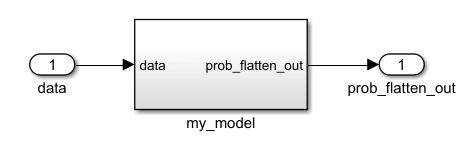
Neural network as subsystem in Simulink. The subsystem has the name "my_model". It has one input with the name "data" and one output with the name "prob_flatten_out".

The exported Simulink model represents the neural network as a subsystem. To view the layer blocks, open the subsystem. This example shows the first few blocks of a neural network.
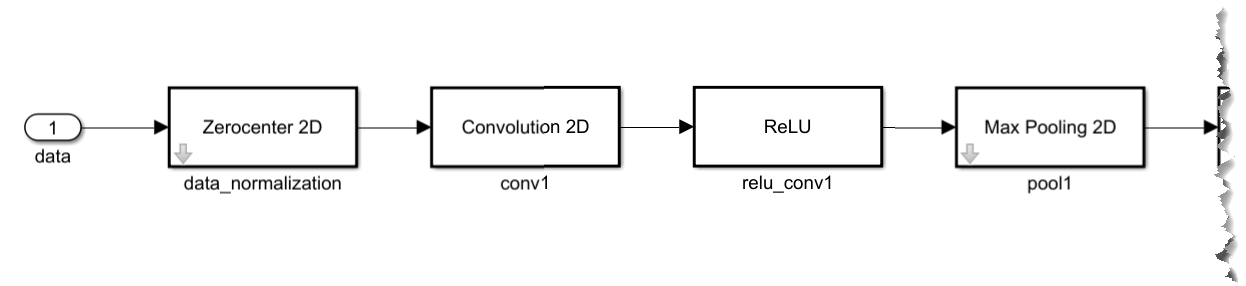
Neural network as layer blocks in Simulink. The subsystem has one input with the name data. The data input is connected to four layer blocks in series. The layer blocks in order are Zerocenter 2D, Convolution 2D, ReLU, and Max Pooling 2D layer blocks. There are more blocks in the model which have been cropped from the screenshot.

To view and edit the layer block parameters, open the corresponding layer block mask. This example shows the parameters for the ReLU block.
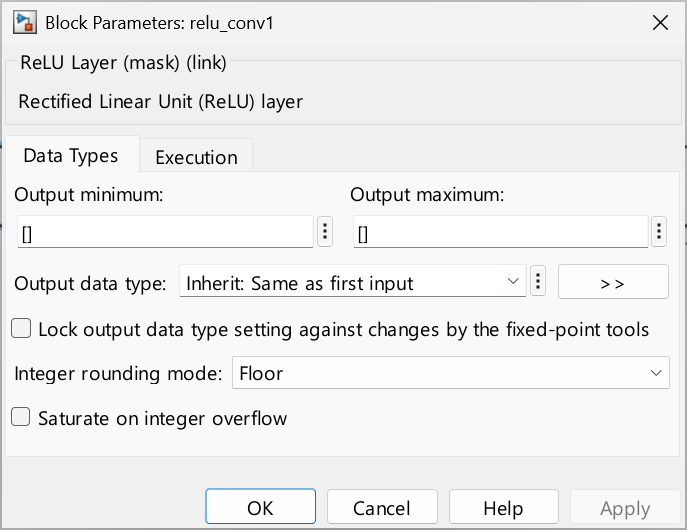
Block Parameters dialog for the ReLU block.

Using the layer block parameters, you can configure aspects like data types and execution options like sample times.

Ports

Input

expand all

Input data to flatten.

Data Types: single | double | int8 | int16 | int32 | int64 | uint8 | uint16 | uint32 | uint64 | fixed point

Output

expand all

Flattened output data. The output data collapses the spatial dimensions of the input data into the channel dimension.

Data Types: single | double | int8 | int16 | int32 | int64 | uint8 | uint16 | uint32 | uint64 | fixed point

Parameters

expand all

To edit block parameters interactively, use the Property Inspector. From the Simulink Toolstrip, on the Simulation tab, in the Prepare gallery, select Property Inspector.

Main

Size of the flattened output matrix, specified as an array of positive scalars. To determine the activation output of a flattenLayer object, you can use the analyzeNetwork function and ignore the batch (B) dimension.

Programmatic Use

Block Parameter: FlattenedOutputSize
Type: array
Values: [1 1 1] | '<array>'
Default: '[1 1 1]'

Data Types: single | double | int8 | int16 | int32 | int64 | uint8 | uint16 | uint32 | uint64

Execution

Specify the discrete interval between sample time hits or specify another type of sample time, such as continuous (0) or inherited (-1). For more options, see Types of Sample Time (Simulink).

By default, the block inherits its sample time based on the context of the block within the model.

Programmatic Use

To set the block parameter value programmatically, use the set_param (Simulink) function.

Parameter: SampleTime
Data Types: char
Values: '-1' | scalar
Default: '-1'

Extended Capabilities

expand all

C/C++ Code Generation
Generate C and C++ code using Simulink® Coder™.

Version History

Introduced in R2024b