Control Execution Order of Blocks in Simulink Model
R2026bThis example shows how to control the execution order of blocks in a Simulink® model. By controlling the execution order, you can have more control over the model simulation behavior. You can control the execution order by configuring a block to run first or last relative to other blocks in the model. In this example, the execution order is controlled by configuring a block to execute first using the Execution Order property options in the Block Properties dialog box. To demonstrate the execution order settings, this example uses a data store model named ex_dsrexecute.
In the ex_dsrexecute model:
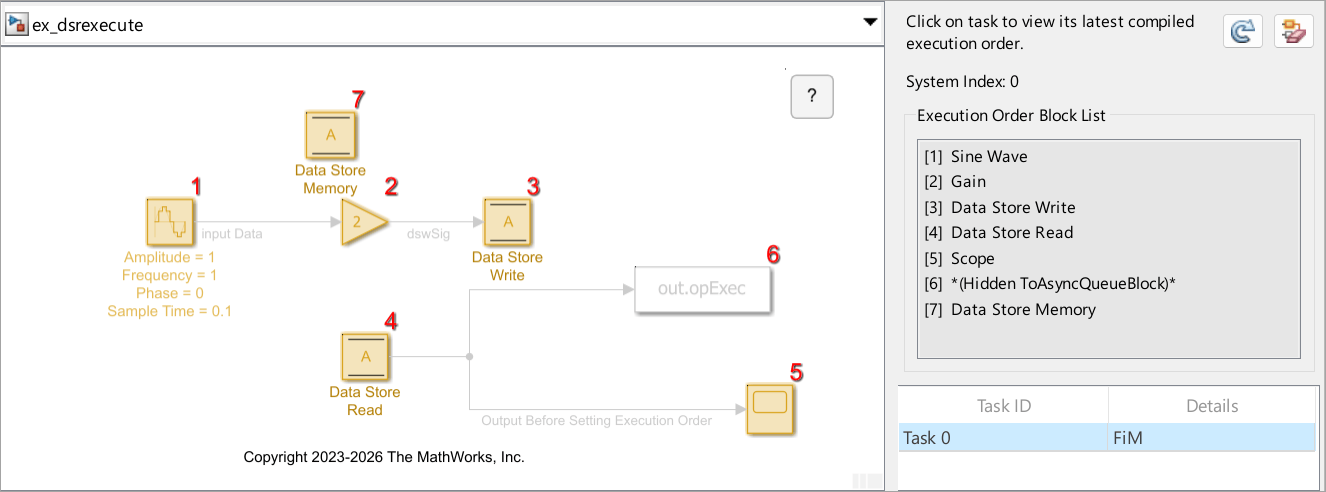
The input data is a sine wave. At each time step, this data is amplified by a factor of two.
The Data Store Write block writes the amplified signal data to the Data Store Memory block.
The Data Store Read block reads data from the Data Store Memory block.
The default setting of the Execution Order property for the Data Store Read and Data Store Write block is Based on priority. This execution order setting does not allow the Data Store Read block to access the amplified sine wave value that is stored in the data store at the previous time step. To allow the Data Store Read block to access the data stored at the previous time step, configure the Data Store Read block to execute first.
Open the model.
open_system('ex_dsrexecute')Display the default execution order. In the Simulink Editor, on the Debug tab, in the Diagnostics section, expand Information Overlays, and under Blocks, click Execution Order. On the Execution Order pane, click the recompile  button to display the execution order.
Set Data Store Read Block to Execute First
To set up the Data Store Read block to execute first:
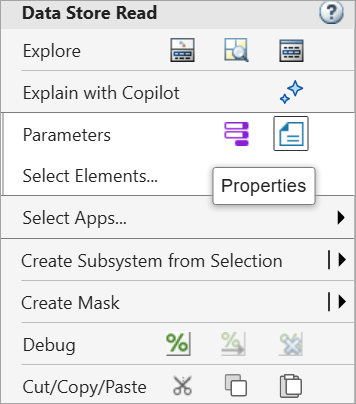
Open the Block Properties dialog box. To open the dialog box, right-click the Data Store Read block, and then click the Properties button.
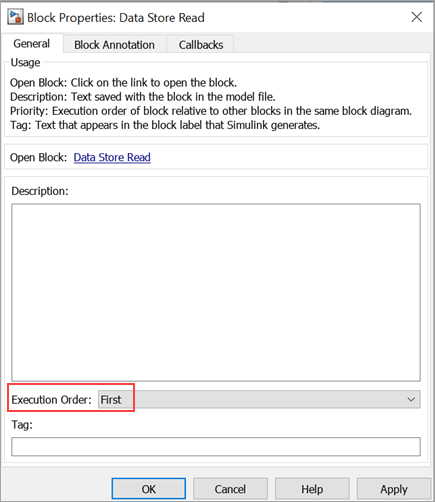
2. In the dialog box, set Execution Order to First. Then, click Apply and OK.
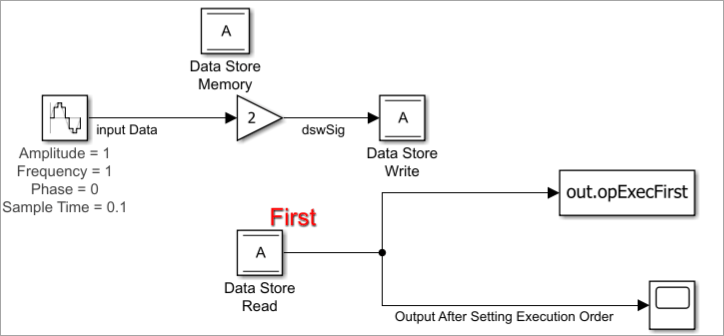
After you change the block configuration, in the model canvas, Simulink annotates the Data Store Read block with the label First.
Display and Verify Updated Execution Order
Update the model (Ctrl+D) for your configuration change to take effect. You can observe the updated execution order under Execution Order Block List. The updated list shows that the Data Store Read block executes before the Data Store Write block.
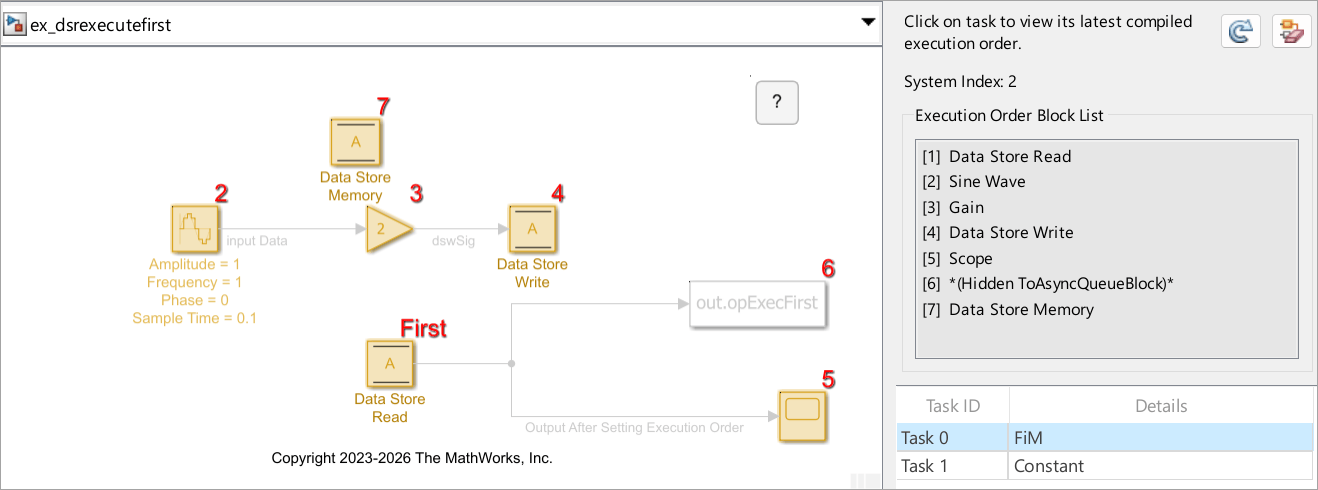
You can use the ex_dsrexecutefirst model as a reference to match your execution order display.
Simulate and Compare Simulation Results
Simulate both the models ex_dsrexecutefirst and ex_dsrexecute. Compare the simulation output before and after setting the execution order.
outExec = sim("ex_dsrexecute.slx");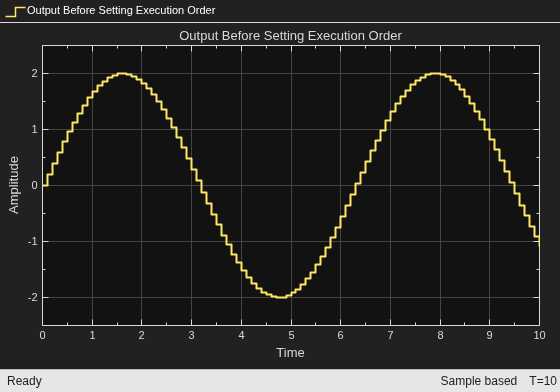
outExecFirst = sim("ex_dsrexecutefirst.slx");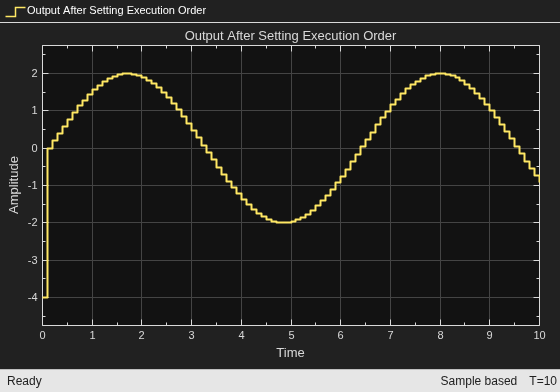
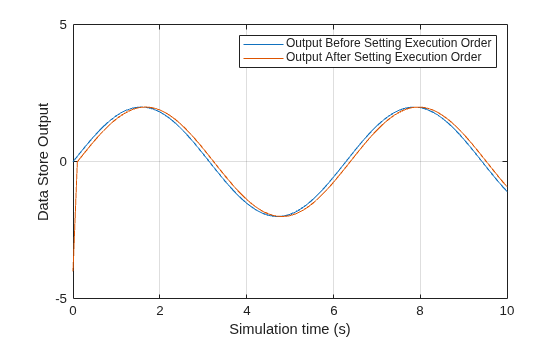
Compare the results using the plot function. The blue signal represents the output values before setting the execution order. The red signal represents the output values after setting the execution order. The red signal lags behind the blue signal by a time delay of 0.1 s. At any particular time step, the red signal displays the amplified signal value from the previous time step, which allows you to access the previous time step value at any time step.
var1 = outExec.opExec;
var2 = outExecFirst.opExecFirst;
time = outExec.tout;
plot(time, var1);
hold on
plot(time, var2)
xlabel("Simulation time (s)")
ylabel("Data Store Output")
ylim([-5 5])
legend("Output Before Setting Execution Order","Output After Setting Execution Order");
grid on
See Also
Data Store Memory | Data Store Read | Data Store Write

