Ahora está siguiendo esta publicación
- Verá actualizaciones en las notificaciones de contenido en seguimiento.
- Podrá recibir correos electrónicos, en función de las preferencias de comunicación que haya establecido.
BreakPlot(x,y,y_break_start,y_break_end,break_type)
Produces a plot who's y-axis skips to avoid unecessary blank space
INPUT
x
y
y_break_start
y_break_end
break_type
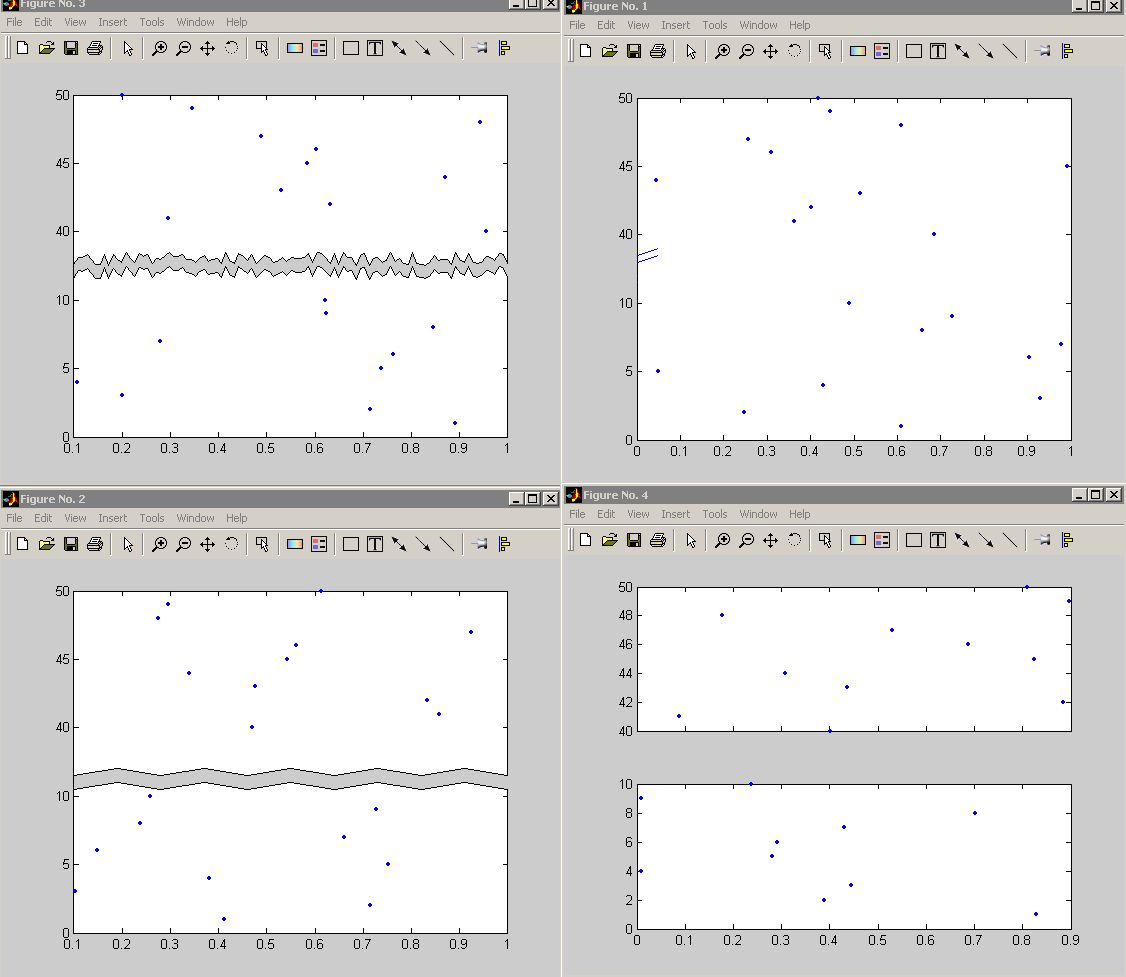
if break_type='RPatch' the plot will look torn
in the broken space
if break_type='Patch' the plot will have a more
regular, zig-zag tear
if break_plot='Line' the plot will merely have
some hash marks on the y-axis to denote the
break
USAGE:
figure;
BreakPlot(rand(1,21),[1:10,40:50],10,40,'Line');
figure;
BreakPlot(rand(1,21),[1:10,40:50],10,40,'Patch');
figure;
BreakPlot(rand(1,21),[1:10,40:50],10,40,'RPatch');
figure;
x=rand(1,21);y=[1:10,40:50];
subplot(2,1,1);plot(x(y>=40),y(y>=40),'.');
set(gca,'XTickLabel',[]);
subplot(2,1,2);plot(x(y<=20),y(y<=20),'.');%
IT'S NOT FANCY, BUT IT WORKS.
Citar como
Michael Robbins (2026). BreakAxis (https://la.mathworks.com/matlabcentral/fileexchange/3668-breakaxis), MATLAB Central File Exchange. Recuperado .
Agradecimientos
Inspiración para: BreakXAxis, Break Bar Plot, BreakPlot, Break X Axis, Break Y Axis
Información general
- Versión 1.0.0.0 (1,08 KB)
-
Sin licencia
Compatibilidad con la versión de MATLAB
- Compatible con cualquier versión
Compatibilidad con las plataformas
- Windows
- macOS
- Linux
| Versión | Publicado | Notas de la versión | Action |
|---|---|---|---|
| 1.0.0.0 |
