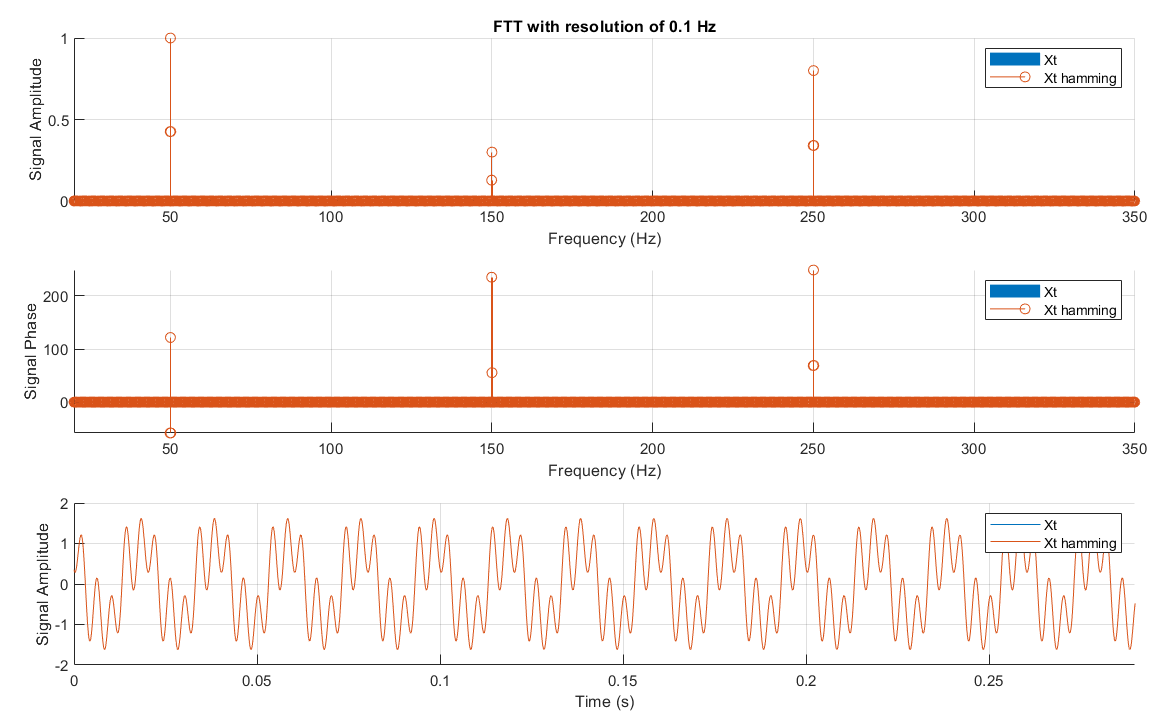
fft_plot function
Plot signal FFT norm and phase versus frequency and signal versus time. Customizable display, also return FFT data.

Ahora está siguiendo esta publicación
- Verá actualizaciones en las notificaciones de contenido en seguimiento.
- Podrá recibir correos electrónicos, en función de las preferencias de comunicación que haya establecido.
Citar como
pierre-alexandre chauvenet (2026). fft_plot function (https://la.mathworks.com/matlabcentral/fileexchange/72124-fft_plot-function), MATLAB Central File Exchange. Recuperado .
https://stackoverflow.com/questions/33962554/finding-the-phase-of-each-harmonics-using-fft
Información general
- Versión (3 KB)
Compatibilidad con la versión de MATLAB
- Compatible con cualquier versión
Compatibilidad con las plataformas
- Windows
- macOS
- Linux
| Versión | Publicado | Notas de la versión | Action |
|---|---|---|---|
| 1.0.4 | add option to replace frequency axis with harmonic number |
||
| 1.0.3 | additional display options |
||
| 1.0.2 | - take both line or column signal input |
||
| 1.0.1 | return fft data (norm, angle, frequency)
|
||
| 1.0.0 |

