Manual Fixed-Point Conversion in MATLAB
R2026bUse the buildInstrumentedMex
function to instrument your algorithm for logging minimum and maximum
values of all named and intermediate variables. Use the showInstrumentationResults function to propose
fixed-point data types based on these logged values.
Functions
Topics
- Decide Between Fixed-Point Conversion Workflows
Learn the benefits of each conversion workflow to help you decide which one best fits your application.
- Manual Fixed-Point Conversion Workflow and Best Practices
Get from generic MATLAB® code to an efficient fixed-point implementation using manual fixed-point conversion.
- Manually Convert a Floating-Point MATLAB Algorithm to Fixed Point
Explore best practices for manual fixed-point conversion.
Related Information
Troubleshooting
Resolve Error: Function Is Not Supported for Fixed-Point Conversion
Troubleshoot functions that are not supported for fixed-point conversion.
Troubleshoot fi*non-fi errors.
Resolve Error: Data Type Mismatch
Troubleshoot data type mismatch errors.
Resolve Error: Mismatched fimath
Troubleshoot mismatched fimath errors.
Featured Examples
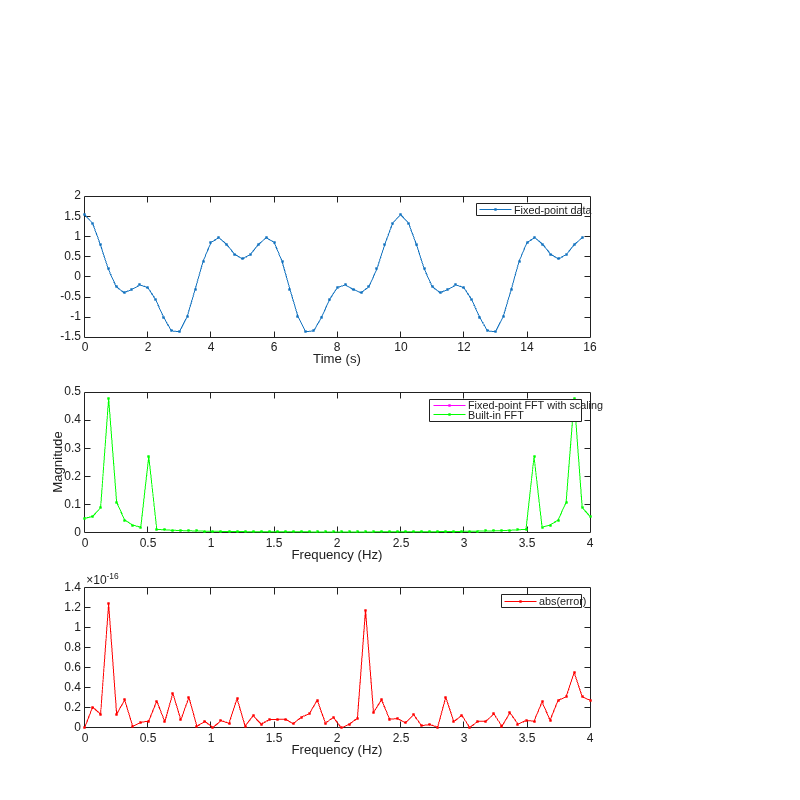
Convert Fast Fourier Transform (FFT) to Fixed Point
Convert a version of the Fast Fourier Transform (FFT) algorithm into fixed-point MATLAB code.

