reset
R2026bReset read to beginning
Syntax
Description
Examples
Load recorded data from a prerecorded scenario called recordedScenario. Construct a trackingScenarioRecording object using the recorded data.
load recordedData
recording = trackingScenarioRecording(recordedData);
Construct a theater plot to display the recorded data using multiple plotters.
tp = theaterPlot('AxesUnits', ["km" "km" "km"], 'XLimits',[-50 50]*1e3,...
    'YLimits',[-50 50]*1e3,'ZLimits', [-20 20]*1e3);
to = platformPlotter(tp,'DisplayName','Tower','Marker','d');
pp = platformPlotter(tp,'DisplayName','Targets');
dp = detectionPlotter(tp,'DisplayName','Detections','MarkerFaceColor','black');
cp = coveragePlotter(tp,'DisplayName','Radar Beam');

coverage = struct('Index',1,'LookAngle',[0;-7],'FieldOfView',[1;10],...
    'ScanLimits',[0 365;-12 -2],'Range',100e3,'Position',[0;0;-15],...
    'Orientation',eye(3));
Run the recorded scenario and animate the results.
scanBuffer = {};
while ~isDone(recording)
    % Step the reader to read the next frame of data
    [simTime,poses,covcon,dets,senconfig] = read(recording);
    scanBuffer = [scanBuffer;dets]; %#ok<AGROW>
    plotPlatform(to,poses(1).Position);
    plotPlatform(pp,reshape([poses(2:4).Position]',3,[])');
    plotCoverage(cp,covcon);
    if ~isempty(dets)
        plotDetection(dp,cell2mat(cellfun(@(c) c.Measurement(:)', scanBuffer, 'UniformOutput', false)));
    end

    % Clear the buffer when a 360 degree scan is complete
    if senconfig.IsScanDone
        scanBuffer = {};
        dp.clearData;
    end
end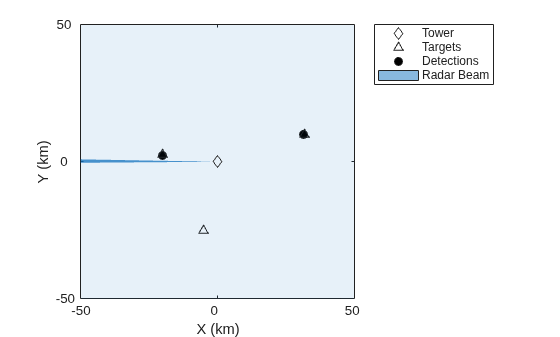
Reset the recording to its beginning.
reset(recording)
Input Arguments
Version History
Introduced in R2020a

