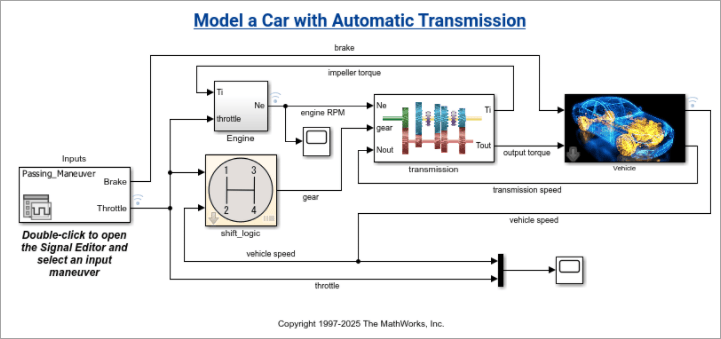
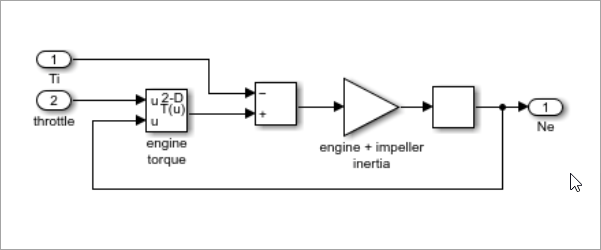
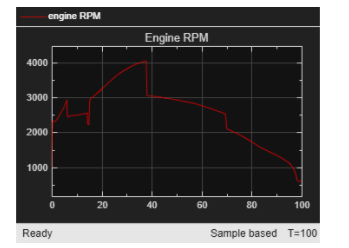
simulinkScreenshot(model) takes a screenshot
of the specified Simulink model, subsystem, or scope result and displays it in a figure
window. The specified model must be loaded before running
simulinkScreenshot.
Simulink model, subsystem, or scope name, specified as a string or character vector.
Supported model types include Simulink models and their subsystems, as well as Stateflow
charts. To specify a subsystem or scope, use the relative path from the model.
Example: simulinkScreenshot("sf_car");
Example: simulinkScreenshot("sf_car/Engine");
Version History
Introduced in R2026b
MATLAB Command
You clicked a link that corresponds to this MATLAB command:
Run the command by entering it in the MATLAB Command Window.
Web browsers do not support MATLAB commands.
Seleccione un país/idioma
Seleccione un país/idioma para obtener contenido traducido, si está disponible, y ver eventos y ofertas de productos y servicios locales. Según su ubicación geográfica, recomendamos que seleccione: .
También puede seleccionar uno de estos países/idiomas:
Cómo obtener el mejor rendimiento
Seleccione China (en idioma chino o inglés) para obtener el mejor rendimiento. Los sitios web de otros países no están optimizados para ser accedidos desde su ubicación geográfica.