MeshReader
R2026bDescription
The MeshReader object stores the properties of the mesh such as
the points, triangles, and tetrahedra in the mesh, edge lengths of the triangles, growth rate,
and mesh quality. You can use this information to fine tune the mesh for your application. You
can also visualize the mesh of the metal region, dielectric region, or the entire antenna or
array structure and detect bad features in the mesh.
Creation
You can create the MeshReader object using the mesh function.
There are two ways to create this object:
Run any port, surface, or field analysis on the antenna or array to automatically generate the mesh. Then use
m = mesh(object)syntax to create theMeshReaderobject.Manually mesh the antenna or array by setting
MaxEdgeLengthproperty of the mesh to create theMeshReaderobject. For example,m = mesh(object,MaxEdgeLength=0.01)creates aMeshReaderobject.
Properties
Object Functions
showDielectricSurfaceMesh (Antenna Toolbox) | Display dielectric surface mesh of antenna or array |
showDielectricVolumeMesh (Antenna Toolbox) | Display dielectric volume mesh of antenna or array |
showMeshAll (Antenna Toolbox) | Display complete metal-dielectric mesh of antenna or array |
showMetalMesh (Antenna Toolbox) | Display metal mesh of antenna or array |
showDuplicateVertices (Antenna Toolbox) | Highlight duplicate vertices in STL file or mesh |
showFreeTriangles (Antenna Toolbox) | Highlight free triangles in STL file or mesh |
showNonManifoldEdges (Antenna Toolbox) | Highlight non-manifold edges in STL file or mesh |
showNonManifoldVertices (Antenna Toolbox) | Highlight non-manifold vertices in STL file or mesh |
showNormalTransitionEdges (Antenna Toolbox) | Highlight normal transition edges in STL file or mesh |
showSlivers (Antenna Toolbox) | Highlight slivers in STL file or mesh |
showTVertices (Antenna Toolbox) | Highlight T-vertices in STL file or mesh |
Examples
This example shows how to read mesh parameters of a microstrip line pcb component and view the complete mesh for the default MoM solver and the FEM solver.
Create Microstrip Line Pcb Component
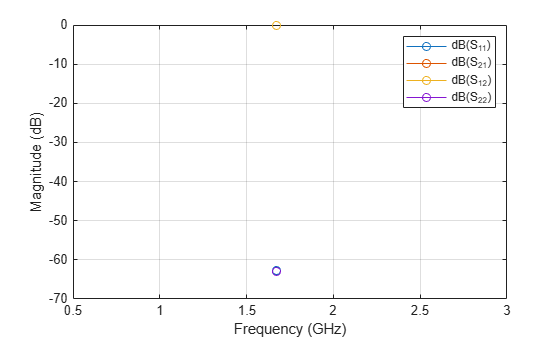
Create a microstrip line pcb component. Run Sparameter analysis using the default MoM solver on this component at 1.67 GHz to automatically generate the mesh.
micro_strip_line=microstripLine();
pcb=pcbComponent(micro_strip_line);
figure
sparam=sparameters(pcb,1.67e9);
figure
rfplot(sparam)
Read Mesh Parameters of Pcb Component
Read the mesh parameters such as number of points, triangles, and tetrahedra, maximum and minimum edge length, mesh growth rate, and quality using the MeshReader (Antenna Toolbox) object.
m = mesh(pcb)
m =
  MeshReader with properties:

                Points: [3×110 double]
             Triangles: [4×134 double]
            Tetrahedra: [4×276 double]
         MaxEdgeLength: 0.0455
         MinEdgeLength: 0.0086
            GrowthRate: 0.5800
    MinimumMeshQuality: 0.6440
              MeshMode: 'auto'
View Mesh of Pcb Component
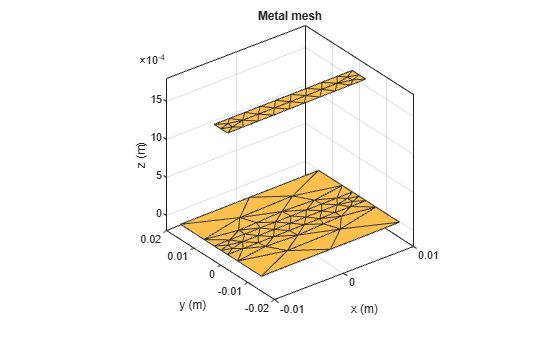
View the metal mesh.
figure
showMetalMesh(m)
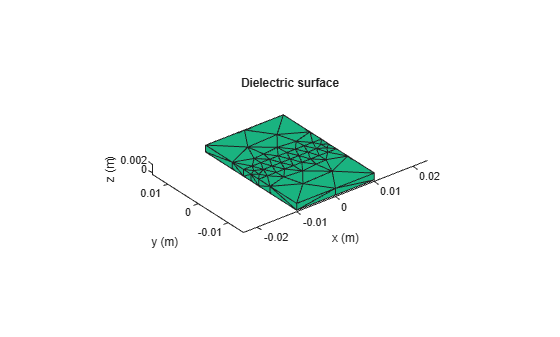
View the dielectric surface mesh.
figure
showDielectricSurfaceMesh(m)
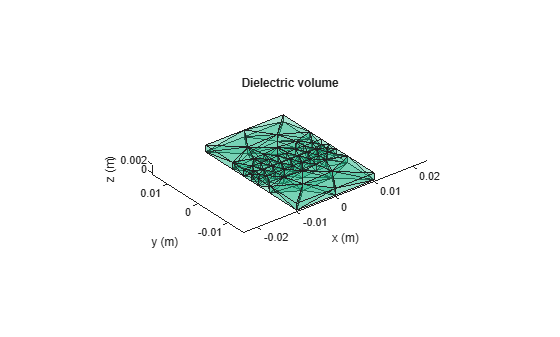
View the dielectric volume mesh.
figure
showDielectricVolumeMesh(m)
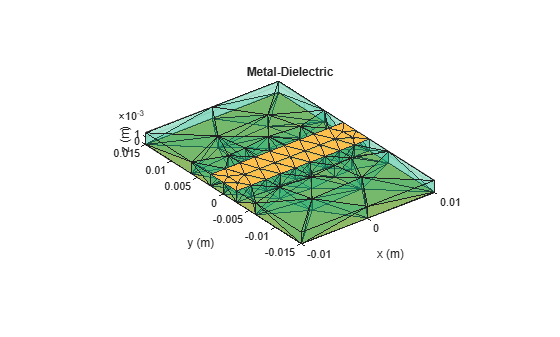
View the overall mesh.
figure
showMeshAll(m)
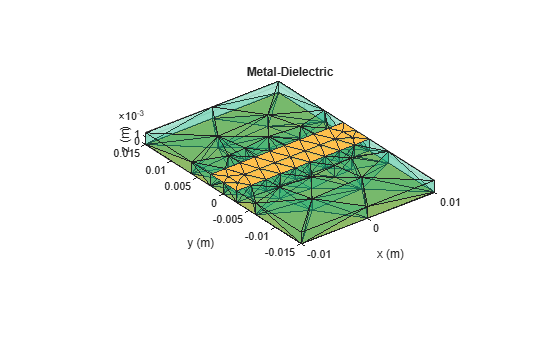
showMeshAll(m)
Read Mesh Parameters of a Pcb Component for FEM Solver
This example shows how to read mesh parameters of a microstrip line pcb component and view the complete mesh for the FEM solver.
Create Microstrip Line Pcb Component
Create a microstrip line pcb component. Run Sparameter analysis using the FEM solver on this component at 1.67 GHz to automatically generate the mesh.
micro_strip_line=microstripLine();
pcb=pcbComponent(micro_strip_line);
pcb.SolverType = 'FEM';
pcb.Connector = design(RFConnector,pcb);
figure
sparam=sparameters(pcb,1.67e9);
figure
rfplot(sparam)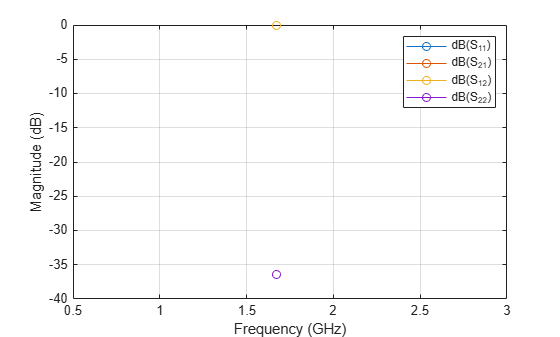
Read Mesh Parameters of Pcb Component
Read the mesh parameters such as number of points, triangles, and tetrahedra, maximum and minimum edge length, mesh growth rate, and element quality per tet elements using the MeshReader (Antenna Toolbox) object.
m = mesh(pcb)
m =
  MeshReader with properties:

                Points: [3×6147 double]
             Triangles: [4×1054 double]
            Tetrahedra: [10×4161 double]
         MaxEdgeLength: 0.0449
         MinEdgeLength: 1.0000e-09
            GrowthRate: 0.5000
    MinimumMeshQuality: 0.2094
              MeshMode: 'auto'
     TetElementQuality: [0.7843 0.6211 0.5969 0.5879 0.5047 0.5073 0.3740 0.7914 0.7857 0.6593 0.5321 0.4530 0.5125 0.5522 0.6345 0.4914 0.5710 0.7033 0.5045 0.8190 0.8095 0.8145 0.5805 0.7335 0.6325 0.8240 0.6841 0.6585 0.8035 0.4787 … ] (1×4161 double)
View Mesh of Pcb Component
View the mesh used by the FE solver.
figure
mesh(pcb)
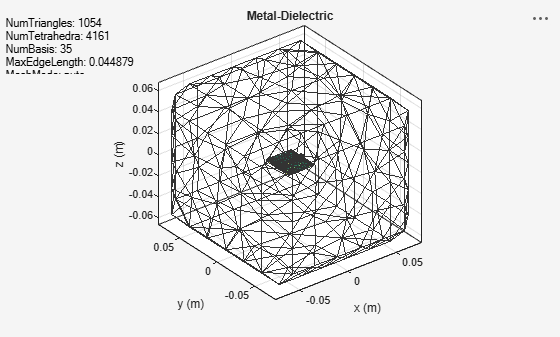
Tips
The MeshReader object stores the triangulation information of the mesh in the form of points and triangles
connectivity list. This allows stlFileChecker (Antenna Toolbox)
functions to be directly used on the MeshReader object to detect and display
bad features of the mesh. For example, below code shows the detection and display of
T-Vertices in the mesh of a microstrip patch antenna operating at 1.67
GHz.
ant = patchMicrostrip(Conductor=metal("Copper"),...
           Substrate=dielectric("FR4"));
impedance(ant,1.67e9);
m = mesh(ant)
detectTVertices(m);
m.TVertices
showTVertices(m)
Alternatively, you can write the mesh data to a STL file using stlwrite (Antenna Toolbox)
function and then run stlFileChecker on that STL file to detect bad features
of the mesh. For example, below code shows the detection of all the bad features in the mesh
by converting the mesh data to a STL file using stlwrite (Antenna Toolbox)
function and running stlFileChecker on that data. Once all the bad features
are detected, you can choose individual feature to be highlighted on the mesh plot using
functions of the stlFileChecker
object.
ant = patchMicrostrip(Conductor=metal("Copper"),...
              Substrate=dielectric("FR4"));
impedance(ant,1.67e9);
m = mesh(ant)
tr = triangulation(m.Triangles(1:3,:)',...
          m.Points(:,1:max(unique(m.Triangles(1:3,:)))')');
stlwrite(tr,"sampleFile.stl");
stlFileChecker("sampleFile.stl")
Version History
Introduced in R2026b
See Also
Functions
mesh|meshconfig(Antenna Toolbox)
Objects
stlFileChecker(Antenna Toolbox)
Topics
- Meshing (Antenna Toolbox)

