Perform Unit Conversion on Datasheet Columns Using SimBiology Model Analyzer
R2026bThis example shows how to perform unit conversion on datasheet columns in SimBiology Model Analyzer.
Enter the following command to open the example if you have not already open it.
openExample('simbio/PerformUnitConversionDatasheetSimBiologyModelAnalyzerExample')
Open SimBiology Model Analyzer.
simBiologyModelAnalyzer;
In the app, import the sample table attached to the example.
On the Home tab, select Data > Load Data from File. Select unitconversion.mat from the current folder. On the Data Import dialog, click OK.
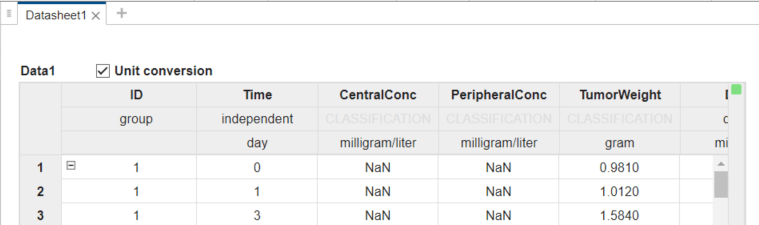
The app loads the table and shows the Datasheet1 tab.
The Unit conversion checkbox is selected automatically for this table because the table already has units specified for all relevant data columns in it. If the imported table has no units specified, then Unit conversion is not on.
Note that in R2026a or later:
Unit conversion is on by default if any table column has units. Otherwise, Unit conversion is off.
When you load an R2025b or earlier project, Unit conversion is not on for existing tables for backward compatibility.
If you save datasheets with tables, the app restores the saved Unit conversion state of the tables when you reload the project.
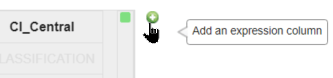
To add a new data column, point your mouse to the top right corner of the datasheet and click the green plus icon that shows up.
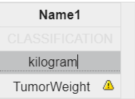
In the resulting Name1 column, double-click the Expression cell and enter TumorWeight, to duplicate the existing TumorWeight column.
Hit Enter and you get a warning indicating units are required for the unit conversion to happen.
Double-click the Units cell and enter kilogram.
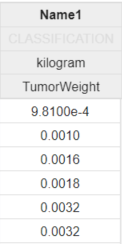
The app then automatically updates the values to match the specified unit.
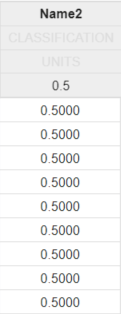
You can also add a scalar value as an expression. The app then shows the same value in the whole column. This scalar expansion is useful if you want to add a constant column, such as a threshold column that you can later use in your plots and so on.
The next screenshot shows such a column with the Expression = 0.5, where the value expands across the whole column.
See Also
SimBiology Model Builder | SimBiology Model Analyzer

