Contenido principal

depview

R2026b

Analyze and visualize model reference dependencies with or without library dependencies

Description

depview(sys) opens the Dependency Analyzer and displays a graph of dependencies for the model or library specified by sys.

example

depview(sys,Name=Value) opens the Dependency Analyzer and displays a graph of dependencies as specified by one or more name-value arguments.

example

Examples

collapse all

Open a project that contains a model hierarchy.

openExample("simulink/VisualizeModelReferenceHierarchiesExample")

Open the Dependency Analyzer for the top model in the model hierarchy.

depview("sldemo_mdlref_depgraph");
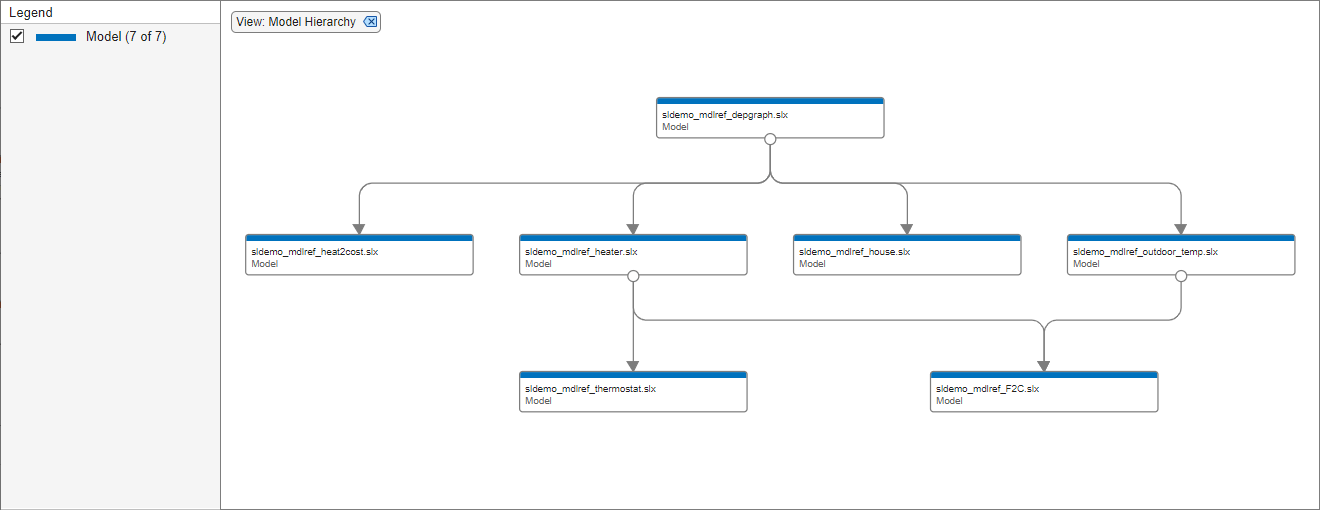
Dependency Analyzer with Model Hierarchy view and vertical model hierarchy

Open a project that contains a model hierarchy.

openExample("simulink/VisualizeModelReferenceHierarchiesExample")

Open the Dependency Analyzer for the top model in Model Instances view with a Horizontal layout.

depview("sldemo_mdlref_depgraph",ModelReferenceInstance=true,ShowHorizontal=true);
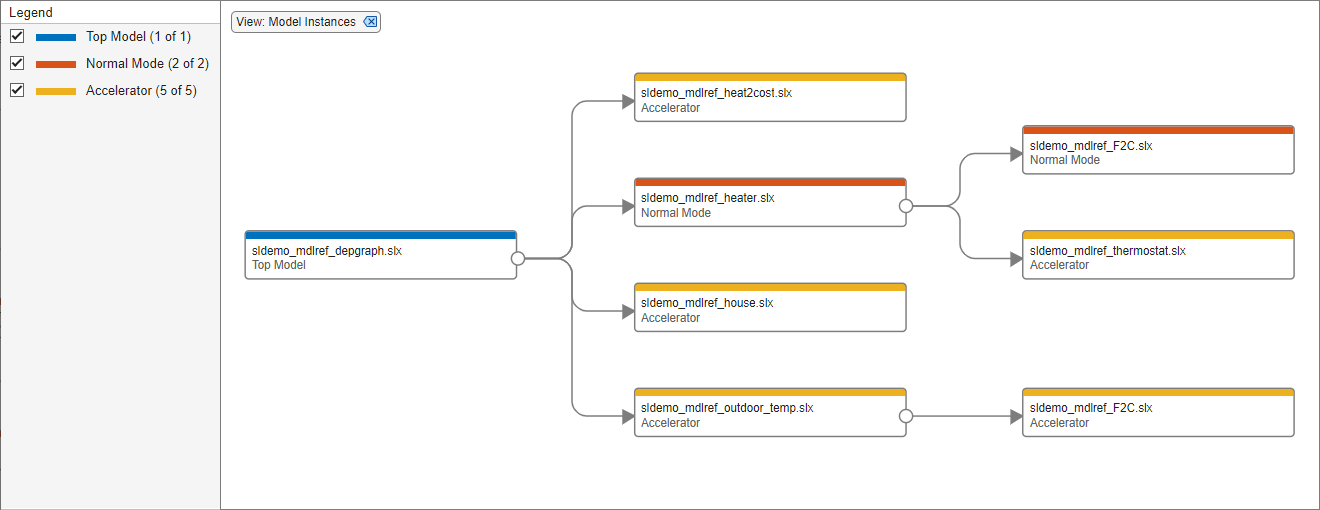
Dependency Analyzer with Model Instances view and horizontal model hierarchy

Input Arguments

collapse all

Name or path of model or library, specified as a string or character vector.

Data Types: char | string

Name-Value Arguments

collapse all

Specify optional pairs of arguments as Name1=Value1,...,NameN=ValueN, where Name is the argument name and Value is the corresponding value. Name-value arguments must appear after other arguments, but the order of the pairs does not matter.

Example: depview("sldemo_mdlref_depgraph",ModelReferenceInstance=true,ShowHorizontal=true)

Option to display graph with models only, specified as a numeric or logical 1 (true) or 0 (false).

To open the dependency graph with only models, set this parameter to true. In this view, node appearance corresponds to file type.

Dependencies

You can set only one of FileDependenciesExcludingLibraries, FileDependenciesIncludingLibraries, and ModelReferenceInstance to true.

Data Types: logical

Option to display graph with models and user-defined libraries, specified as a numeric or logical 1 (true) or 0 (false).

To open the dependency graph with models and user-defined libraries, use the default setting. In this view, node appearance corresponds to file type.

Dependencies

You can set only one of FileDependenciesExcludingLibraries, FileDependenciesIncludingLibraries, and ModelReferenceInstance to true.

Data Types: logical

Option to display graph that shows models only and shows each model instance separately, specified as a numeric or logical 1 (true) or 0 (false).

To open the dependency graph with each instance of a model as a separate node in the graph, set this parameter to true. In this view, node appearance corresponds to simulation mode.

Dependencies

You can set only one of FileDependenciesExcludingLibraries, FileDependenciesIncludingLibraries, and ModelReferenceInstance to true.

Data Types: logical

Option to display horizontal dependency graph, specified as a numeric or logical 1 (true) or 0 (false).

To open the dependency graph with referenced models and libraries to the right of their parents, set this parameter to true. By default, the Dependency Analyzer shows referenced models and libraries below their parents.

Data Types: logical

Version History

Introduced in R2006b