Prompt boot button press and release on ESP32 board
R2026bOption to enable prompt boot button and release on ESP32 hardware board during flashing
Since R2022a
Model Configuration Pane: Hardware Implementation / Hardware board settings / Target hardware resources / ESP32 properties
Description
Your ESP32 hardware board might require you to press the boot button before the hardware enters the flashing mode. Select this option to enable a prompt dialog box that indicates when you need to press and release the boot button. Use this option in the deployment and external mode (Monitor & Tune).
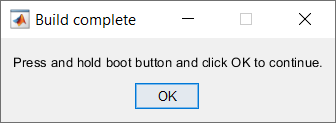
After you enable the option, the following message is displayed before your hardware board enters the flashing mode. You must press the boot button on your hardware and then click OK in the Build Complete dialog box.
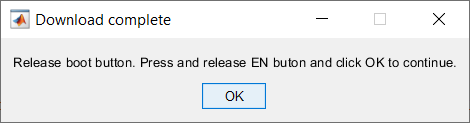
Keep pressing the boot button and release it once this message is displayed. Ensure to press and release the reset button on your hardware and then click OK in the Download Complete dialog box.
Dependencies
To enable this option, set Hardware board to ESP32-WROOM (Arduino Compatible).
Settings
off (default) | onThe default value for this parameter is off.
Programmatic Use
| No programmatic use is available. |
Version History
Introduced in R2022a

