Contenido principal

view

Open Instrument Viewer app

Since R2026a

Description

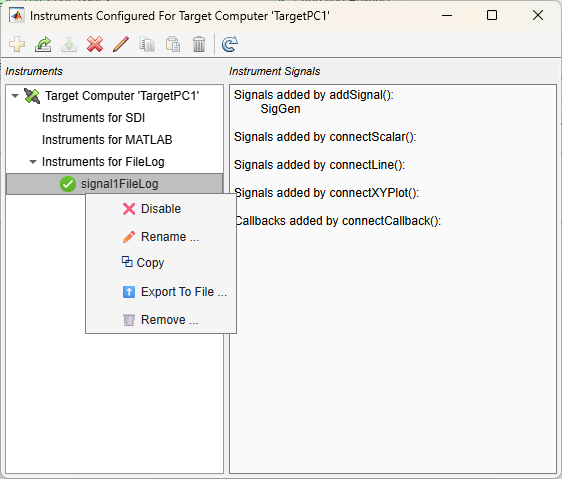
view(target_object.Instruments) opens the Instrument Viewer app. Use the app buttons or the context menu in the app to view, create, or remove the instruments. The toolbar buttons in the Instrument Viewer app let you:

  • Create new instrument

  • Export instrument(s) to file

  • Import instrument(s) from file

  • Disable instrument

  • Edit instrument name

  • Copy instrument

  • Paste instrument

  • Remove instrument

  • Refresh dialog

Use the Instrument Viewer app to view, created, or remove instruments.

example

Examples

collapse all

Use the view command to open the Instrument Viewer app for the selected Target object, tg.

view(tg.Instruments)

Input Arguments

collapse all

Object that represents target computer, specified as a Target object. The object provides access to methods that manipulate the target computer properties.

Example: tg

Version History

Introduced in R2026a