Install Support Packages and Verify Simulink Models
R2026bVerify that MATLAB® and required toolboxes are installed, install the necessary support packages, and open the project to verify that the models simulate successfully before deploying to hardware.
Verify Required Products
Open MATLAB.
Run the following command in the Command Window:
ver
Confirm that the following products are installed:
Aerospace Blockset™
Aerospace Toolbox
Computer Vision Toolbox
Embedded Coder®
Image Processing Toolbox
MATLAB
Raspberry Pi® Blockset
Simulink®
Simulink Coder™
UAV Toolbox

Install UAV Toolbox Support Package for PX4 Autopilots and Raspberry Pi Blockset
This section has two parts: install the UAV Toolbox Support Package for PX4® Autopilots and install Raspberry Pi Blockset. After installation, you must run the hardware setup screen for each to complete the configuration.
PX4 Support Package
On the MATLAB Home tab, in the Environment section, select Add-Ons > Get Hardware Support Packages.
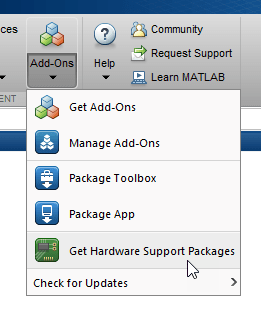
In the Add-On Explorer window, search for the UAV Toolbox Support Package for PX4 Autopilots and then click Install.
After installation, run the hardware setup screen. In the setup screen, select Pixhawk 6C Mini as the hardware board.
Complete all steps in the hardware setup screen, including sensor testing. At the Select a PX4 Autopilot and Build Target step, select
PX4 Pixhawk 6cfor thePX4 Pixhawk Minihardware and specify these options:PX4 Autopilot board —
PX4 Pixhawk 6cBuild Target —
px4_fmu-v6c_multicopter
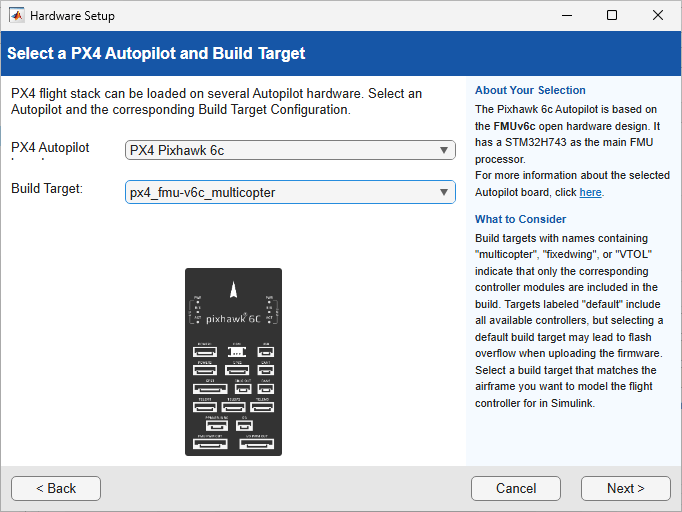
Verify that all tests pass before proceeding. For more information, see Install UAV Toolbox Support Package for PX4 Autopilots in Windows.
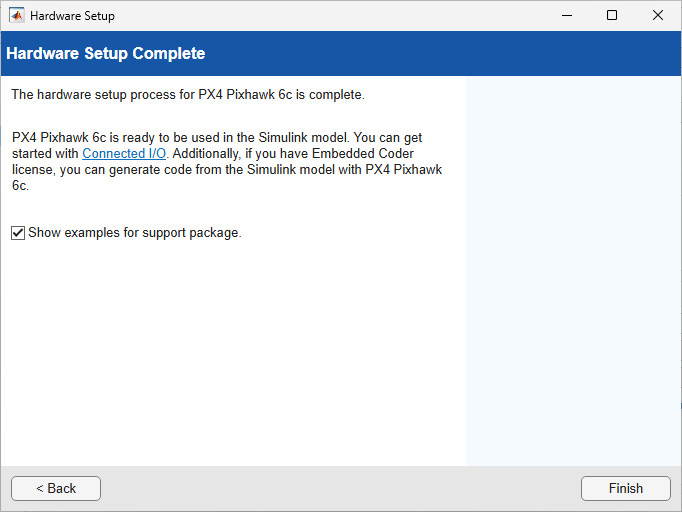
Raspberry Pi Support Package
In the Add-On Explorer window, search for Raspberry Pi Blockset and then click Install.
After installation, run the Raspberry Pi Blockset setup screen.
Complete all steps in the setup screen, including enabling the camera interface and configuring SSH access. For more information, see Hardware Setup for Raspberry Pi Blockset (Raspberry Pi Blockset).
Verify that the setup screen reports successful connection to the Raspberry Pi.
Complete the Set Up Operating System on Raspberry Pi Board (Raspberry Pi Blockset) steps.

