Contenido principal

exportONNXNetwork

R2026b

Export Student-Teacher anomaly detector to ONNX model format

Since R2026b

    Description

    Add-On Required: This feature requires the Visual Inspection Toolbox Model for Student-Teacher Anomaly Detection add-on.

    Export a trained Student-Teacher anomaly detector to an ONNX model file using the exportONNXNetwork function. You can create, train, and tune the anomaly detection model in MATLAB®, export the trained model using the exportONNXNetwork function, and deploy the model in environments that run in ONNX Runtime. You can configure the exported ONNX model to predict a scalar anomaly score, classify the image as normal or anomalous, or generate a spatial anomaly map.

    exportONNXNetwork(detector,filename) exports the trained anomaly detector model detector to the ONNX model file filename.

    exportONNXNetwork(___,Name=Value) configures the exported ONNX model using one or more optional name-value arguments, in addition to the input arguments from the previous syntax. For example, ExportTask=“predict” configures the head of the exported network to output a scalar anomaly score.

    example

    Examples

    collapse all

    Load a data set that consists of images of digits from 0 to 9. Consider images of the digit 8 to be normal, and all other digits to be anomalous.

    trainDir = fullfile(toolboxdir("vision"),"visiondata","digits","synthetic");
    dsNormal = imageDatastore(fullfile(trainDir,"8"));

    Create a studentTeacherAnomalyDetector object.

    untrainedDetector = studentTeacherAnomalyDetector;

    Specify training options for Adam optimization.

    maximumEpochs = 40;
    options = trainingOptions("adam", ...
        ExecutionEnvironment="auto", ... 
        InitialLearnRate=1e-4, ...
        L2Regularization=1e-5', ... 
        LearnRateSchedule="piecewise", ...
        LearnRateDropPeriod=floor(0.9*maximumEpochs), ...
        LearnRateDropFactor=0.1, ...
        MaxEpochs=maximumEpochs, ...
        MiniBatchSize=2, ...
        Shuffle="every-epoch", ...
        ResetInputNormalization=true, ...
        Plots="training-progress", ...
        PreprocessingEnvironment="background", ...
        Verbose=false);

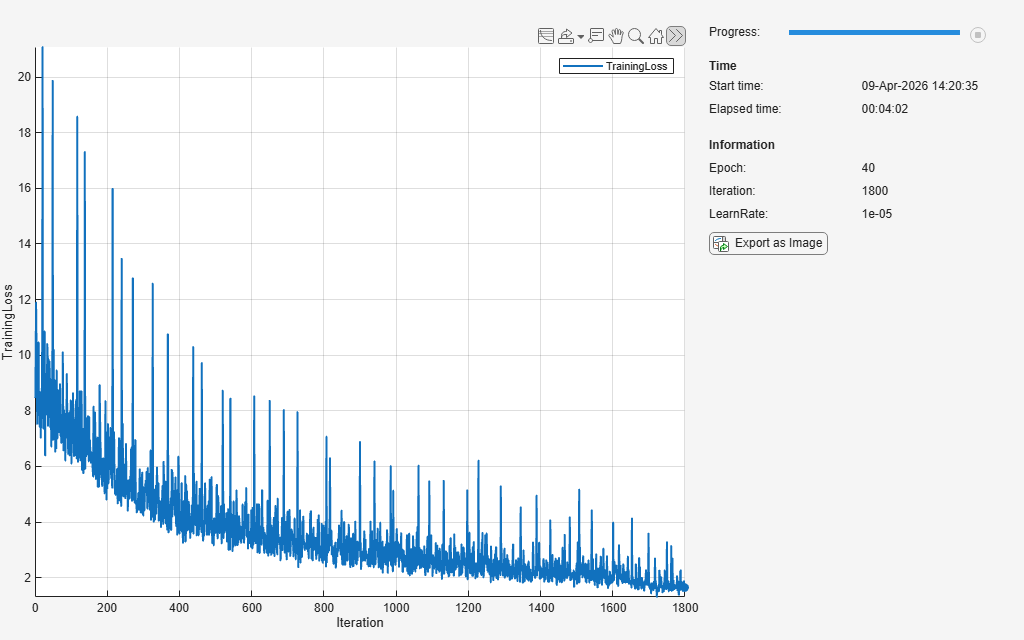
    Train the anomaly detector.

    detector = trainStudentTeacherAnomalyDetector(dsNormal,untrainedDetector,options);
    Computing anomaly map percentile statistics for 11 input images.
    ..
    

    Export the trained detector to output a spatial map of the anomaly scores.

    exportONNXNetwork(detector,"studentTeacherONNXAnomalyMap_v1.onnx",ExportTask="anomalyMap")

    Input Arguments

    collapse all

    Trained anomaly detector to export, specified as a studentTeacherAnomalyDetector object. If your specified export tasks include “classify”, you must specify the Threshold property of the detector.

    The input images to the exported ONNX network must be of the size specified by the InputSize name-value argument. The function replaces the input layer of the network with an imageInputLayer with z-score normalization using a learned mean and standard deviation. Because of this internal normalization, you can use raw images as input to the exported network.

    Name of the exported ONNX model file, specified as a string scalar or character vector. You can specify filename as an absolute or relative path including the filename.

    Data Types: char | string

    Name-Value Arguments

    collapse all

    Specify optional pairs of arguments as Name1=Value1,...,NameN=ValueN, where Name is the argument name and Value is the corresponding value. Name-value arguments must appear after other arguments, but the order of the pairs does not matter.

    Example: exportONNXNetwork(detector,filename,ExportTask=“predict”) configures the head of the exported network to output a scalar anomaly score.

    Inference task performed by the exported network, specified as a string scalar, character vector, string array, or cell array of character vectors. You can specify one or more export tasks from these options.

    • "predict" — Configures the head of the exported network to output a scalar anomaly score for the input image. Use this export task to predict the probability of the input image being anomalous. The function supports only the default score function to compute the scalar anomaly score for this export task.

    • "classify" — Configures the head of the exported network to output a binary classification of the input image. Use this export task to classify the input image as normal or anomalous. To use this export task, you must specify the Threshold property of the detector. The function supports only the default score function to compute the scalar anomaly score for this export task.

    • "anomalyMap" — Configures the head of the exported network to output a spatial anomaly map. Use this export task to localize and explain the anomaly in the image.

    By default, the function exports a multi-head network with one head for each export task.

    Data Types: char | string | cell

    Input image size of the ONNX network, specified as a three-element numeric row vector of the form [rows columns channels]. The default input image size is the same as the input image size of detector. The rows and columns of the input image size of the ONNX network must be greater than or equal to the rows and columns of the input image size of detector. If the anomaly detector has been trained on truecolor images, specify the number of channels as 3.

    When performing tile-based anomaly detection, which consists of training the network on smaller tiles extracted from a larger image and then performing inference on the full image, ensure that the tiles and full image are of the same resolution.

    Data Types: single | double | int8 | int16 | int32 | int64 | uint8 | uint16 | uint32 | uint64

    Version of the ONNX operator set to use in the exported model, specified as an integer in the range [6, 20]. If the default operator set does not support the network you are trying to export, then try using a later version. Decide the operator set version based on target runtime constraints and the requirements of downstream frameworks in the deployment pipeline. If you export the network with an operator set and then import the exported network in another framework that the does not support that operator set, then the import in the other framework can fail. To ensure that you use the appropriate operator set version, consult the ONNX operator documentation [3].

    Data Types: single | double | int8 | int16 | int32 | int64 | uint8 | uint16 | uint32 | uint64

    Batch size of the ONNX network, specified as [] or as a positive integer. If you specify the batch size as [], the ONNX network has a dynamic batch size that improves flexibility across runtimes. If you specify the batch size as a positive integer k, the ONNX network has a fixed batch size of k. Certain environments might require a fixed batch size to optimize throughput.

    Data Types: single | double | int8 | int16 | int32 | int64 | uint8 | uint16 | uint32 | uint64

    Name of the ONNX network to store in the saved file, specified as a character vector or a string scalar. Specify names that are useful for cataloging and versioning models.

    Data Types: char | string

    References

    [1] Open Neural Network Exchange. https://github.com/onnx/. Accessed June 22, 2026.

    [2] ONNX. https://onnx.ai/. Accessed June 22, 2026.

    [3] ONNX Operators. https://github.com/onnx/onnx/blob/master/docs/Operators.md Accessed June 22, 2026.

    Version History

    Introduced in R2026b