Resultados de

The Cody Contest 2025 has officially wrapped up! Over the past 4 weeks, more than 700 players submitted over 20,000 solutions. In addition, participants shared 20+ high-quality Tips & Tricksarticles—resources that will benefit Cody users for years to come.
Now it’s time to announce the winners.
🎉 Week 4 winners:
Weekly Prizes for Contest Problem Group Finishers:
@JKMSMKJ, @Yu Zhang, @Oliver Jaros, @Pauli Huusari, @Karl, @Marcos Silveira, @goc3, @Ildeberto de los Santos Ruiz, @Norberto, @Eric
Weekly Prizes for Contest Problem Group Solvers:
Weekly Prizes for Tips & Tricks Articles:
This week’s prize goes to @WANG Zi-Xiang. See the comments from our judge and problem group author @Matt Tearle:
‘We had a lot of great tips for solving Cody problems in general and the contest problems specifically. But we all know there are those among us who, having solved the problem, still want to tinker and make their code better. There are different definitions of "better", but code size remains the base metric in Cody. Enter Wang Zi-Xiang who compiled a list of many tips for reducing Cody size. This post also generated some great discussion (even prompting our insane autocrat, Lord Ned himself, to chime in). I particularly like the way that, while reducing Cody size often requires some arcane tricks that would normally be considered bad coding practice, the intellectual activity of trying to "game the system" makes you consider different programming approaches, and sometimes leads you to learn corners of MATLAB that you didn't know.’
🏆 Grand Prizes for the Main Round
Team Relentless Coders:
2nd Place: @Roberto
Team Creative Coders:
Team Cool Coders
Congratulations to all! Securing a top position on the leaderboard requires not only advanced MATLAB skills but also determination and consistency throughout the four-week contest. You will receive Amazon gift cards.
🥇 Winning Team
The competition was incredibly tight—we even had to use the tie-breaker rule.
Both Team Cool Coders and Team Relentless Coders achieved 16 contest group finishers. However, the last finisher on Cool Coders completed the problem group at 1:02 PM on Dec 7, while the last finisher on Relentless Coders finished at 9:47 PM the same day.
Such a close finish! Congratulations to Team Cool Coders, who have earned the Winning Team Finishers badge.

🎬 Bonus Round
Invitations have been sent to the 6 players who qualified for the Bonus Round. Stay tuned for updates—including the Big Watch Party afterward!
Congratulations again to all winners! We’ll be reaching out after the contest ends. It has been an exciting, rewarding, and knowledge-packed journey.
See you next year!
Over the past three weeks, players have been having great fun solving problems, sharing knowledge, and connecting with each other. Did you know over 15,000 solutions have already been submitted?
This is the final week to solve Cody problems and climb the leaderboard in the main round. Remember: solving just one problem in the contest problem group gives you a chance to win MathWorks T-shirts or socks.
🎉 Week 3 Winners:
Weekly Prizes for Contest Problem Group Finishers:
@Umar, @David Hill, @Takumi, @Nicolas, @WANG Zi-Xiang, @Rajvir Singh Gangar, @Roberto, @Boldizsar, @Abi, @Antonio
Weekly Prizes for Contest Problem Group Solvers:
Weekly Prizes for Tips & Tricks Articles:
This week’s prize goes to @Cephas. See the comments from our judge and problem group author @Matt Tearle:
'Some folks have posted deep dives into how to tackle specific problems in the contest set. But others have shared multiple smaller, generally useful tips. This week, I want to congratulate the cumulative contribution of Cool Coder Cephas, who has shared several of my favorite MATLAB techniques, including logical indexing, preallocation, modular arithmetic, and more. Cephas has also given some tips applying these MATLAB techniques to specific contest problems, such as using a convenient MATLAB function to vectorize the Leaderboard problem. Tip for Problem 61059 – Leaderboard for the Nedball World Cup:'
Congratulations to all Week 3 winners! Let’s carry this momentum into the final week!
In just one week, we have hit an amazing milestone: 500+ players registered and 5000+ solutions submitted! We’ve also seen fantastic Tips & Tricks articles rolling in, making this contest a true community learning experience.
And here’s the best part: you don’t need to be a top-ranked player to win. To encourage more casual and first-time players to jump in, we’re introducing new weekly prizes starting Week 2!
New Casual Player Prizes:
- 5 extra MathWorks T-shirts or socks will be awarded every week.
- All you need to qualify is to register and solve one problem in the Contest Problem Group.
Jump in, try a few problems, and don’t be shy to ask questions in your team’s channel. You might walk away with a prize!
Week 1 Winners:
Weekly Prizes for Contest Problem Group Finishers:
@Mazhar, @Julien, @Mohammad Aryayi, @Pawel, @Mehdi Dehghan, @Christian Schröder, @Yolanda, @Dev Gupta, @Tomoaki Takagi, @Stefan Abendroth
Weekly Prizes for Tips & Tricks Articles:
We had a lot of people share useful tips (including some personal favorite MATLAB tricks). But Vasilis Bellos went *deep* into the Bridges of Nedsburg problem. Fittingly for a Creative Coder, his post was innovative and entertaining, while also cleverly sneaking in some hints on a neat solution method that wasn't advertised in the problem description.
Congratulations to all Week 1 winners! Prizes will be awarded after the contest ends. Let’s keep the momentum going!

Hi everyone,
Please check out our new book "Generative AI for Trading and Asset Management".
GenAI is usually associated with large language models (LLMs) like ChatGPT, or with image generation tools like MidJourney, essentially, machines that can learn from text or images and generate text or images. But in reality, these models can learn from many different types of data. In particular, they can learn from time series of asset returns, which is perhaps the most relevant for asset managers.
In our book (amazon.com link), we explore both the practical applications and the fundamental principles of GenAI, with a special focus on how these technologies apply to trading and asset management.
The book is divided into two broad parts:
Part 1 is written by Ernie Chan, noted author of Quantitative Trading, Algorithmic Trading, and Machine Trading. It starts with no-code applications of GenAI for traders and asset managers with little or no coding experience. After that, it takes readers on a whirlwind tour of machine learning techniques commonly used in finance.
Part 2, written by Hamlet, covers the fundamentals and technical details of GenAI, from modeling to efficient inference. This part is for those who want to understand the inner workings of these models and how to adapt them to their own custom data and applications. It’s for anyone who wants to go beyond the high-level use cases, get their hands dirty, and apply, and eventually improve these models in real-world practical applications.
Readers can start with whichever part they want to explore and learn from.
The Graphics and App Building Blog just launched its first article on R2025a features, authored by Chris Portal, the director of engineering for the MATLAB graphics and app building teams.
Over the next few months, we'll publish a series of articles that showcase our updated graphics system, introduce new tools and features, and provide valuable references enriched by the perspectives of those involved in their development.
To stay updated, you can subscribe to the blog (look for the option in the upper left corner of the blog page). We also encourage you to join the conversation—your comments and questions under each article help shape the discussion and guide future content.

Overview
Authors:
- Narayanaswamy P.R. Iyer
- Provides Simulink models for various PWM techniques used for inverters
- Presents vector and direct torque control of inverter-fed AC drives and fuzzy logic control of converter-fed AC drives
- Includes examples, case studies, source codes of models, and model projects from all the chapters.
About this book
Successful development of power electronic converters and converter-fed electric drives involves system modeling, analyzing the output voltage, current, electromagnetic torque, and machine speed, and making necessary design changes before hardware implementation. Inverters and AC Drives: Control, Modeling, and Simulation Using Simulink offers readers Simulink models for single, multi-triangle carrier, selective harmonic elimination, and space vector PWM techniques for three-phase two-level, multi-level (including modular multi-level), Z-source, Quasi Z-source, switched inductor, switched capacitor and diode assisted extended boost inverters, six-step inverter-fed permanent magnet synchronous motor (PMSM), brushless DC motor (BLDCM) and induction motor (IM) drives, vector-controlled PMSM, IM drives, direct torque-controlled inverter-fed IM drives, and fuzzy logic controlled converter-fed AC drives with several examples and case studies. Appendices in the book include source codes for all relevant models, model projects, and answers to selected model projects from all chapters.
This textbook will be a valuable resource for upper-level undergraduate and graduate students in electrical and electronics engineering, power electronics, and AC drives. It is also a hands-on reference for practicing engineers and researchers in these areas.
We are thrilled to announce the grand prize winners of our MATLAB Shorts Mini Hack contest! This year, we invited the MATLAB Graphics and Charting team, the authors of the MATLAB functions used in every entry, to be our judges. After careful consideration, they have selected the top three winners:
Judge comments: Realism & detailed comments; wowed us with Manta Ray
2nd place – Jenny Bosten
Judge comments: Topical hacks : Auroras & Wind turbine; beautiful landscapes & nightscapes
3rd place - Vasilis Bellos
Judge comments: Nice algorithms & extra comments; can’t go wrong with Pumpkins
Judge comments: Impressive spring & cubes!
In addition, after validating the votes, we are pleased to announce the top 10 participants on the leaderboard:
Congratulations to all! Your creativity and skills have inspired many of us to explore and learn new skills, and make this contest a big success!
Dear MATLAB contest enthusiasts,
Welcome to the third installment of our interview series with top contest participants! This time we had the pleasure of talking to our all-time rock star – @Jenny Bosten. Every one of her entries is a masterpiece, demonstrating a deep understanding of the relationship between mathematics and aesthetics. Even Cleve Moler, the original author of MATLAB, is impressed and wrote in his blog: "Her code for Time Lapse of Lake View to the West shows she is also a wizard of coordinate systems and color maps."
you to read it to learn more about Jenny’s journey, her creative process, and her favorite entries.
Question: Who would you like to see featured in our next interview? Let us know your thoughts in the comments!

Hello! The MathWorks Book Program is thrilled to welcome you to our discussion channel dedicated to books on MATLAB and Simulink. Here, you can:
- Promote Your Books: Are you an author of a book on MATLAB or Simulink? Feel free to share your work with our community. We’re eager to learn about your insights and contributions to the field.
- Request Recommendations: Looking for a book on a specific topic? Whether you're diving into advanced simulations or just starting with MATLAB, our community is here to help you find the perfect read.
- Ask Questions: Curious about the MathWorks Book Program, or need guidance on finding resources? Post your questions and let our knowledgeable community assist you.
We’re excited to see the discussions and exchanges that will unfold here. Whether you're an expert or beginner, there's a place for you in our community. Let's embark on this journey together!
Welcome to the launch of our new blog area, Semiconductor Design and Verification! The mission is to empower engineers and designers in the semiconductor industry by streamlining architectural exploration, optimizing the post-processing of simulations, and enabling early verification with MATLAB and Simulink.
Meet Our Authors
We are thrilled to have two esteemed authors:
@Ganesh Rathinavel and @Cristian Macario Macario have both made significant contributions to the advancement of Analog/Mixed-Signal design and the broader communications, electronics, and semiconductor industries. With impressive engineering backgrounds and extensive experience at leading companies such as IMEC, STMicroelectronics, NXP Semiconductors, LSI Corporation, and ARM, they bring a wealth of knowledge and expertise to our blog. Their work is focused on enhancing MathWorks' tools to better align with industry needs.
What to Expect
The blog will cover a wide range of topics aimed at professionals in the semiconductor field, providing insights and strategies to enhance your design and verification processes. Whether you're looking to streamline your current workflows or explore cutting-edge methodologies, our blog is your go-to resource.
Call to Action
We invite all professionals and enthusiasts in the semiconductor industry to follow our blog posts. Stay updated with the latest trends and insights by subscribing to our blog.
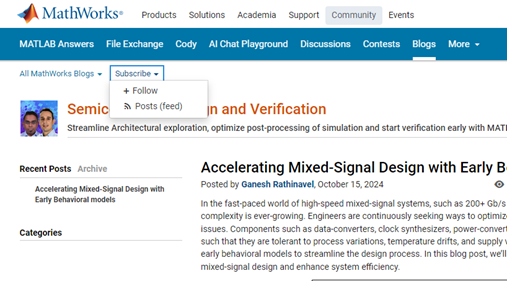
Don’t miss the first post: Accelerating Mixed-Signal Design with Early Behavioral Models, where they explore how early behavioral modeling can accelerate mixed-signal design and enhance system efficiency.
Over the past week, we have seen many creative and compelling short movies! Now, let the voting begin! Cast your votes for the short movies you love. Authors, share your creations with friends, classmates, and colleagues. Let's showcase the beauty of mathematics to the world!
We know that one of the key goals for joining the Mini Hack contest is to LEARN! To celebrate knowledge sharing, we have special prizes—limited-edition MATLAB Shorts—up for grabs!
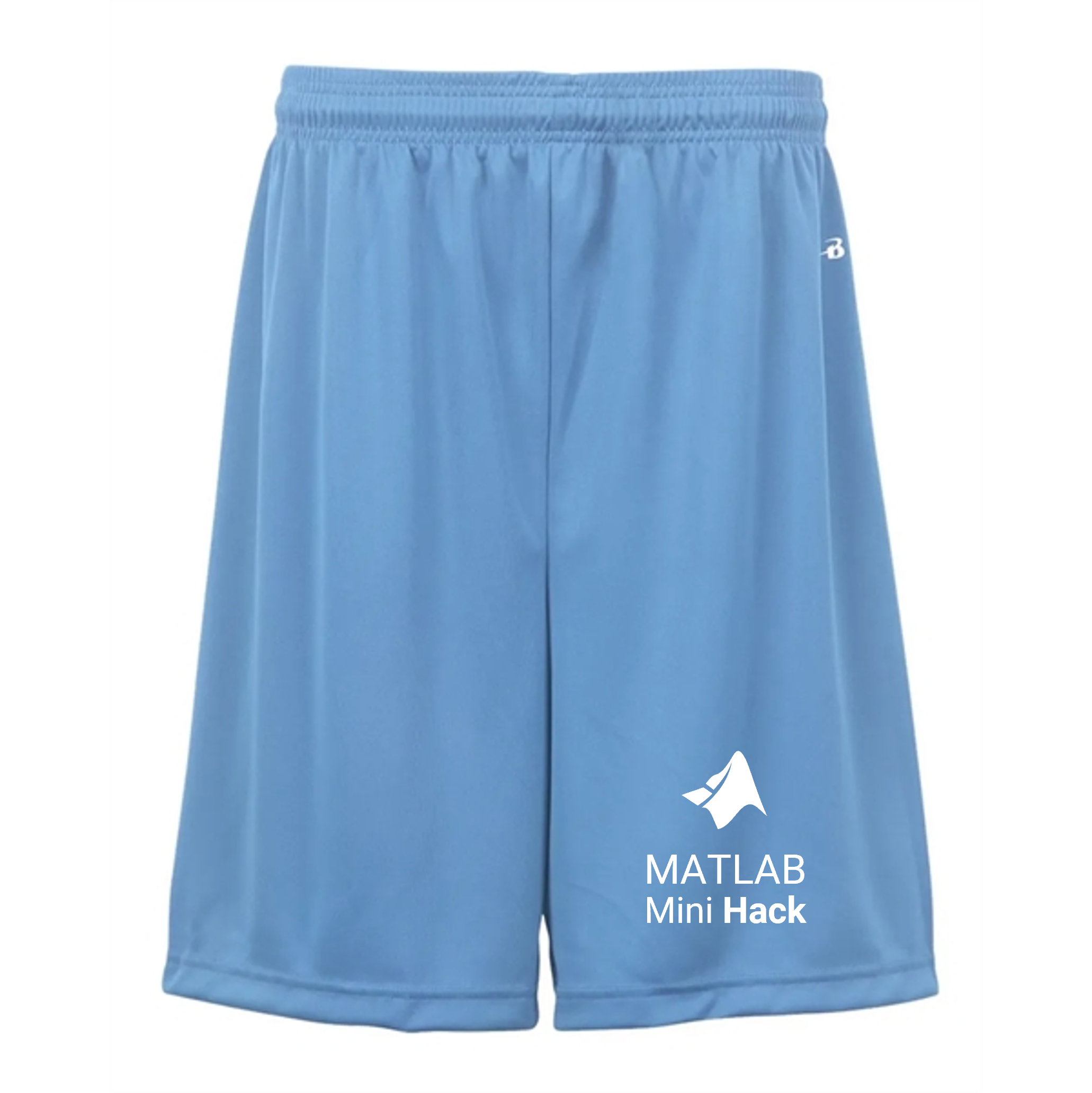
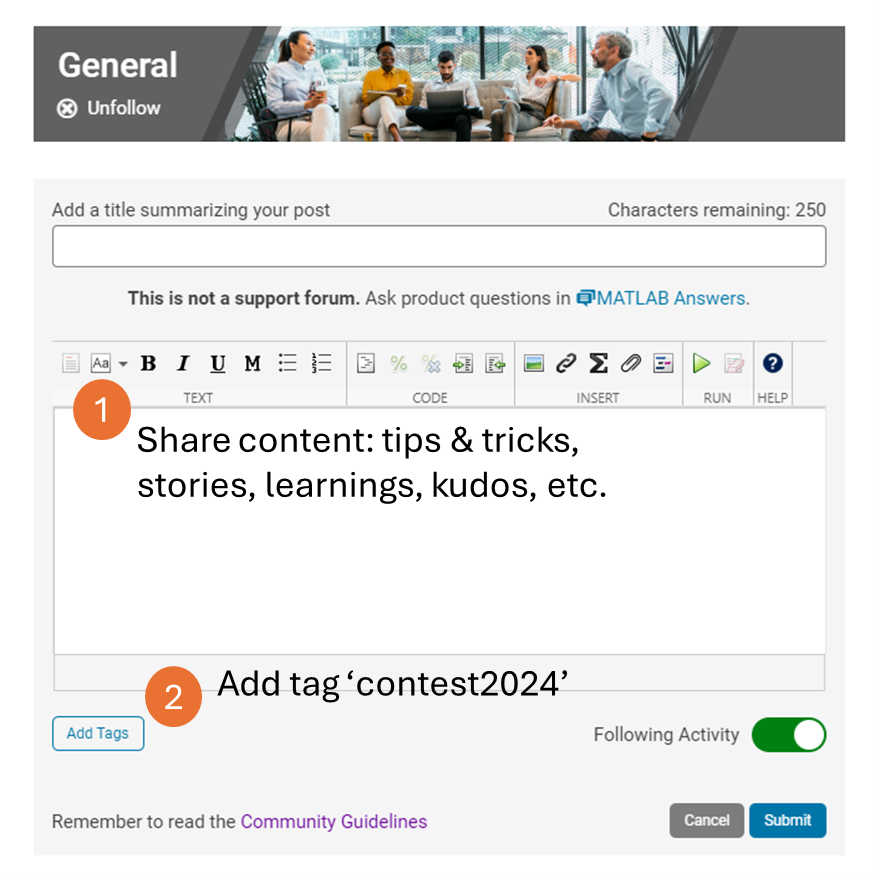
These exclusive prizes can only be earned through the MATLAB Shorts Mini Hack contest. Interested? Share your knowledge in the Discussions' general channel (be sure to add the tag 'contest2024') to earn opportunities to win the coveted MATLAB Shorts. You can share various types of content, such as tips and tricks for creating animations, background stories of your entry, or learnings you've gained from the contest. We will select different types of winners each week.
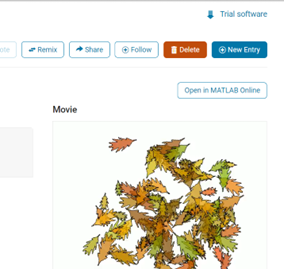
We also have an exciting feature announcement: you can now experiment with code in MATLAB Online. Simply click the 'Open in MATLAB Online' button above the movie preview section. Even better! ‘Open in MATLAB Online’ is also available in previous Mini Hack contests!
We look forward to seeing more amazing short movies in Week 2!
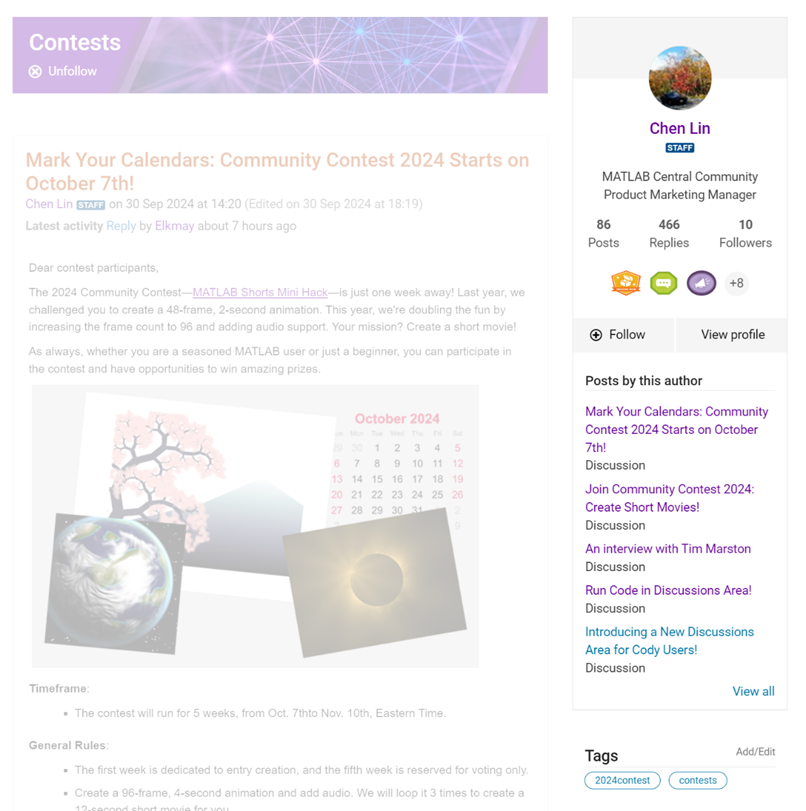
We are thrilled to announce the redesign of the Discussions leaf page, with a new user-focused right-hand column!
Why Are We Doing This?
- Address Readers’ Needs:
Previously, the right-hand column displayed related content, but feedback from our community indicated that this wasn't meeting your needs. Many of you expressed a desire to read more posts from the same author but found it challenging to locate them.
With the new design, readers can easily learn more about the author, explore their other posts, and follow them to receive notifications on new content.
- Enhance Authors’ Experience:
Since the launch of the Discussions area earlier this year, we've seen an influx of community members sharing insightful technical articles, use cases, and ideas. The new design aims to help you grow your followers and organize your content more effectively by editing tags. We highly encourage you to use the Discussions area as your community blogging platform.
We hope you enjoy the new design of the right-hand column. Please feel free to share your thoughts and experiences by leaving a comment below.

I am trying to earn my Intro to MATLAB badge in Cody, but I cannot click the Roll the Dice! problem. It simply is not letting me click it, therefore I cannot earn my badge. Does anyone know who I should contact or what to do?

Hello, everyone!
Over the past few weeks, our community has been buzzing with activity, showcasing the incredible depth of knowledge, creativity, and innovation that makes this forum such a vibrant place. Today, we're excited to highlight some of the noteworthy contributions that have sparked discussions, offered insights, and shared knowledge across various topics. Let's dive in!
Interesting Questions
Fatima Majeed brings us a thought-provoking mathematical challenge, delving into inequalities and the realms beyond (e^e). If you're up for a mathematical journey, this question is a must-see!
lil brain tackles a practical problem many of us have faced: efficiently segmenting a CSV file based on specific criteria. This post is not only a query but a learning opportunity for anyone dealing with similar data manipulation challenges.
Popular Discussions
Discover a simple yet effective trick for digit manipulation from goc3. This tip is especially handy for those frequenting Cody challenges or anyone interested in enhancing their number handling skills in MATLAB.
Chen Lin shares an exciting update about the 'Run Code' feature in the Discussions area, highlighting how our community can now directly execute and share code snippets within discussions. This feature marks a significant enhancement in how we interact and solve problems together.
From the Blogs
A Deep Dive into EEG Analysis for Predicting Neurological Outcomes By Tanya Kuruvilla
Connell D`Souza, alongside Team Swarthbeat, explores the cutting-edge application of EEG analysis in predicting neurological outcomes post-cardiac arrest. This blog post offers an in-depth look into the challenges and methodologies of modern medical data analysis.
Mihir Acharya discusses the pivotal role of MATLAB and Simulink in the future of robotics simulation. Through an engaging conversation with industry analyst George Chowdhury, this post sheds light on overcoming simulation challenges and the exciting possibilities that lie ahead.
We encourage everyone to explore these contributions further and engage with the authors and the community. Your participation is what fuels this community's continual growth and innovation.
Here's to many more discussions, discoveries, and breakthroughs together!

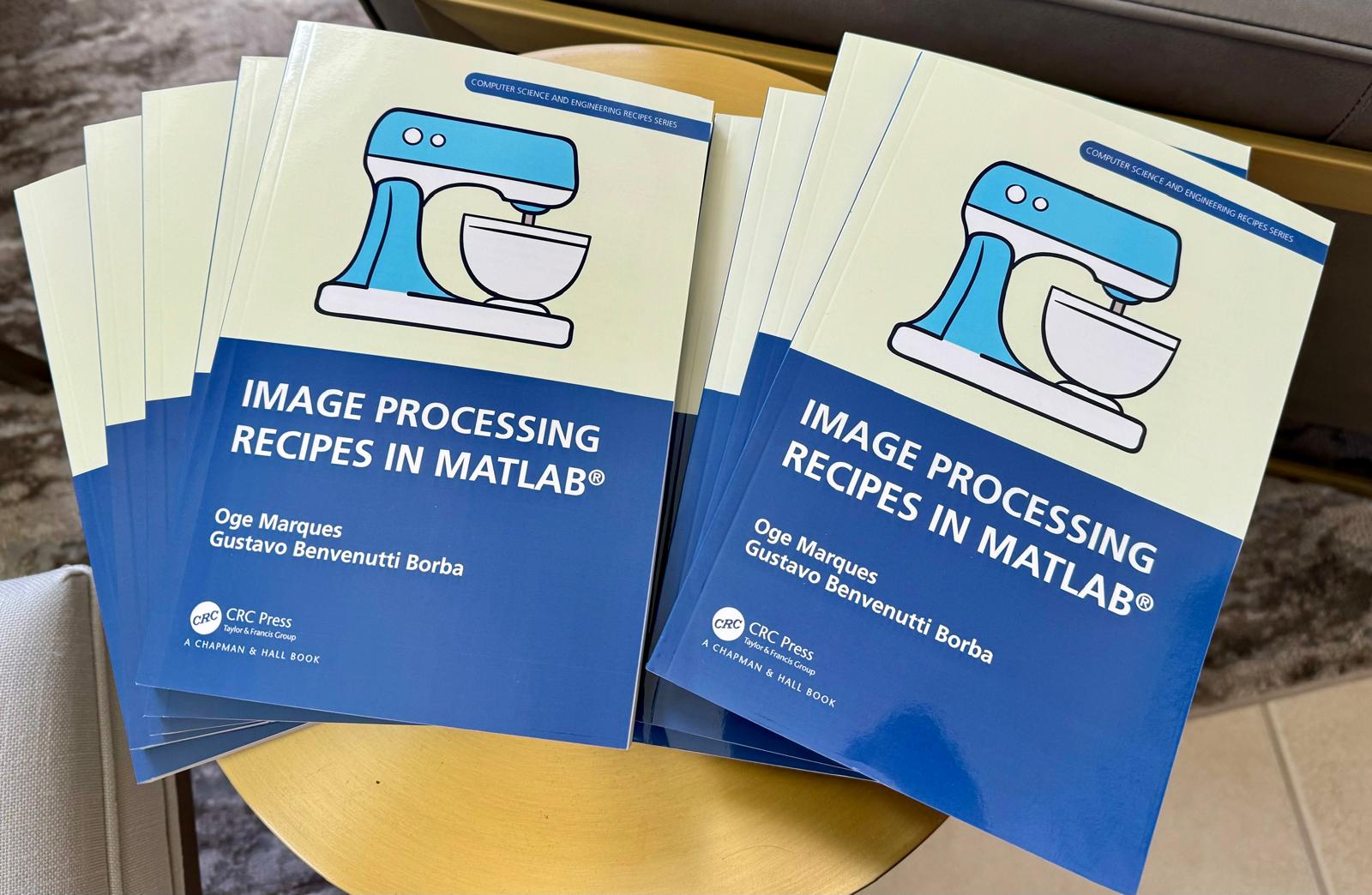
📚 New Book Announcement: "Image Processing Recipes in MATLAB" 📚
I am delighted to share the release of my latest book, "Image Processing Recipes in MATLAB," co-authored by my dear friend and colleague Gustavo Benvenutti Borba.
This 'cookbook' contains 30 practical recipes for image processing, ranging from foundational techniques to recently published algorithms. It serves as a concise and readable reference for quickly and efficiently deploying image processing pipelines in MATLAB.
Gustavo and I are immensely grateful to the MathWorks Book Program for their support. We also want to thank Randi Slack and her fantastic team at CRC Press for their patience, expertise, and professionalism throughout the process.
___________
Hello, Community Members!
Every day, we witness the incredible exchange of knowledge as over 100,000 users visit our community for answers or to get some code. We have such a vibrant community because of the dedicated group of contributors who volunteer their time and expertise to help one another.
We learned that many community users are looking for different ways to show their appreciation to contributors. In response, we're thrilled to announce the launch of our latest feature – Skill Endorsements.
When you visit a contributor's profile page, you'll notice a brand-new 'Endorsements' tab. Here, you have the power to acknowledge the skills of your fellow members by either endorsing a new skill or bolstering existing ones.
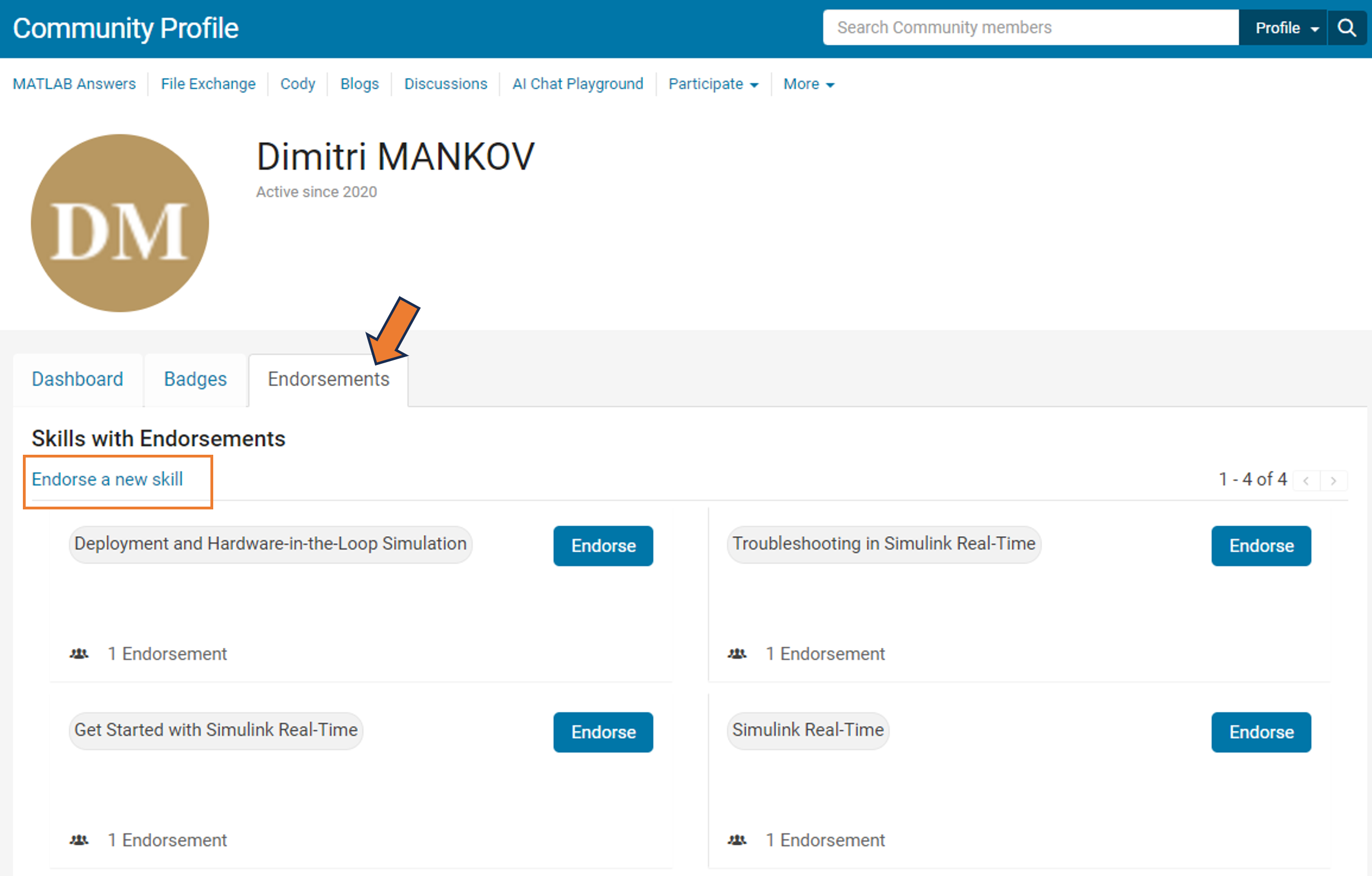
But it's more than just saying "thank you." By highlighting the strengths of our members, you're contributing to an environment of trust and making it easier for users to connect with experts in specific areas.
So, take a moment to reflect: Who has made a difference in your community experience? Whose expertise has guided you through a challenge? Show your appreciation and support their contributions – start endorsing skills today!
Your participation makes all the difference.
Warm regards,
MATLAB Central Community Team

Hello, an intern working at MathWorks is finishing up his program soon and he would like to interview some MATLAB users. He is looking for people who can give their perspective on the question:
"What makes MATLAB and Simulink special in comparison to other languages?"
Ultimately he plans to condense the answers into 15-second videos or sound bites.
If people are willing to participate but want more time to talk about their experience with MATLAB, he doesn't have time left for in-depth interviews but he can find someone else to take over the project.
Please send me an email via my profle if you are interested.
The 2022 community contests have concluded! During the 4 weeks, we hope you had a lot of fun and learned some MATLAB skills. Together, we've achieved amazing milestones:
- 500+ entries and 5,000+ votes created in the Mini Hack 2022 contest.
- 100,000+ solutions submitted in Cody 10th Anniversary contest
- 2,000+ participants in both contests
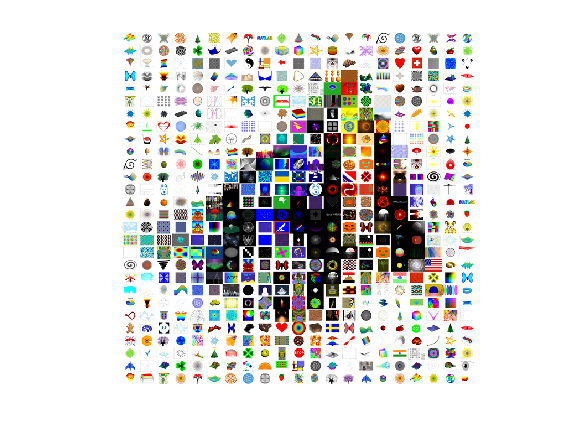
Now, it's time to announce weekly winners and grand prize winners!
Mini Hack - Pick of the MATLAB Graphics Team
We invited the MATLAB Graphics team, the authors of the MATLAB functions used in every entry, to be our Mini Hack judges. Here are their picks in 3 categories:
- Our Top 3:
Rising Hand by Augusto Mazzei
Object used: fill; Judge comments: Clever code, nice metaphor, kind comments
Above the clouds by Tim
Object used: patch (via VOXview); Judge comments: Very pretty, looks like it could be in a video game
Monocular rivalry by Jenny Bosten
Object used: Image; Judge comments: We spent a too much time trying to figure out what this illusion was doing to our brains
- Clever use of Charts:
Object used: Bar3; Judge comments: Cute! Nice fireworks!
Object used: histogram2; Judge comments: We didn't realize there was a ship in the flow data set
Object used: plot; Judge comments: Nifty and very different from other entries.
Object used: scatter; Judge comments: Overlapping markers make for a very cool tunnel-like effect
- Things we still loved:
Object used: image; Judge comments: Domain Warping FTW
Object used: surface; Judge comments: Clever use of transparency
Congratulations and you should be very proud of yourself! It's a huge achievement that your entry is recognized by the MATLAB Graphics team!
Mini Hack - special category for Week 4
Mini Hack - grand prize winners
After an intensive (and very time-consuming) review of votes on winning entries, we have finalized the list of grand prize winners. Huge congratulations! We appreciate the time and effort you spent and the awesome entries you created. Each of you won an Amazon gift card.
Anton Kogios, Brandon Caasenbrood, KARUPPASAMYPANDIYAN M, Teodo, Jenny Bosten, MvLevi, Abdullah Caliskan, Stewart Thomas, Jonas Schlatter, and Tim Davis
Cody 10th Anniversary - surprise prize for 28-day streak winners
We are thrilled to see that 37 players have built a streak of 28 days! Coming back every day to solve problems is an incredible achievement. We decided to show our appreciation by awarding a surprise prize to those 37 players. Congratulations! Each of you will get a MathWorks T-shirt.
Christian Schröder, Stefan Abendroth, Mohammed, Victoria, Vasileios Pasialis, Gerardo Domínguez Ramírez, HH, Anton Kogios, Lizhi Zhu, Marco Fuscà, Armando Longobardi, Monica, Rithik KRT, Ayman, Teodo, Lincoln Poon, Elijah Keifert, siranjeevi gurumani, kazuyoshi kouno, Ryan Koh, Manuela Kaiser, Mehmet OZC, Dyuman Joshi, KOTHAPALLI SRI BRINDA, Gergely Patay, abyss, Takumi, Keita Abe, Petr Cerny, Shubham Shubham, Meredith, Andrew K, Atsushi Ueno, Peter Orthmann, Armando Longobardi, Chuang Tao, and David Romero
Cody 10th Anniversary winners – Week 4
The top 3 players for solving the most problems in week 4 are Christian Schröder, Gerardo Dominguez Ramirez, and Stefan Abendroth, Congratulations! Each of you won an Amazon gift card.
Week 4 lucky winners are Qingrui Liu and Basant Ale.
Cody 10th Anniversary winners – grand prize winners
We know how hard it is to be a top-10 leader in the contest leaderboard! It requires a huge time commitment and advanced MATLAB skills. Congratulations! Each of you will win an Amazon gift card.
Christian Schröder, Stefan Abendroth, Mohammed, Victoria, Vasileios Pasialis, Gerardo Domínguez Ramírez, HH, Anton Kogios, Lizhi Zhu, and Marco Fuscà
Lucky voters and participants
Thank you for your participation in our 2022 contests. You don’t need to be on the top of the leaderboards to win. As we announced, we would give out 20 MathWorks T-shirts to lucky voters and participants of the 2 contests.
Ismail Bera Altan, Robin Stolz, Michael Mellin, Kellan Smith, Neha Shaah, Siranjeevi gurumani, Paul Villain, Andrew Horchler, Meg Noah, Saurabh Chaudhary, Pakize erdogmus, Godfrey Ojerheghan, Selena Mastrodonato, Damir Rasic, Thomas Kjeldsen, Meredith, John Noah Ramiterre, Patience Oliveira, Panda, and Sujeet Kumar Choudhary
On behalf of the MATLAB Central community team, we thank you for joining our celebration of the MATLAB Central community 2022 contests. We hope you enjoyed these contests and look forward to seeing you in next year’s contests.
Two fun community contests: MATLAB Mini Hack 2022 and Cody 10th Anniversary start today on Oct. 3rd!
Participants across all skill levels are welcome to join! Even if you have limited time, you still have opportunities to win as long as you participate.
Want to challenge yourself and win Amazon gift Cards and limited-edition Badges?
1. MATLAB Mini Hack 2022: Create your best entry (either a new or a remixed entry).
2. Cody 10th Anniversary: Solve your 1st Cody problem today!
If you have any questions about the contest rules or prizes, let us know by replying to this thread.
We hope you enjoy the contests, improve your MATLAB skills, and win prizes! Now, let the party begin!
In MATLAB Answers, oftentimes we see good comments that provide solutions in a question thread. Those comments should really be answers. On the other hand, there are some answers that do not offer solutions. Those answers should actually be comments. The answer/comment issue makes it harder for readers of a question thread to quickly identify useful information. To tackle this issue, the community team just released the MOVE feature!
What can be moved?
Answers and comments can now be moved in 4 ways within the same question thread:
- Change an answer to a comment
- Change an answer with comments to a group of comments
- Change a comment to an answer
- Move a comment
Who can move answers and comments?
New privileges have been awarded to contributors with 2000 reputation points or more. Privileged contributors will see move icons added in the list of actions available for answers and comments.

After an answer or comment is moved, an indication of the move will be displayed with the content.

As always, please let us know your thoughts by leaving a reply below.

