imsegsam
R2026bPerform automatic full image segmentation using Segment Anything Model 2 (SAM 2)
Since R2024b
Description
Add-On Required: This feature requires one of these add-ons.
Use the imsegsam function to automatically segment an entire
image or all of the objects inside a region of interest (ROI) using the Segment Anything Model
2 (SAM 2) or Segment Anything Model (SAM). The function samples a regular grid of points on an
image and returns a set of predicted masks for each point, which enables the model to produce
multiple masks for each object and its subregions. You can customize various segmentation
settings based on your application, such as the ROI in which to segment objects, the size
range of objects which to segment, and the confidence score threshold with which to filter
mask predictions.
Note
To use any of the SAM 2 models, this functionality requires the Image Processing Toolbox™ Model for Segment Anything Model 2 add-on if you use any of the SAM 2 models. To use the base SAM model, this functionality requires the Image Processing Toolbox Model for Segment Anything Model add-on.
[
specifies options using one or more name-value arguments. For example,
masks,scores] = imsegsam(I,Name=Value)PointGridSize=[64 64] specifies the number of grid points that the
imsegsam function samples along the x- and
y- directions of the input image as 64
each.
Examples
Load an image into the workspace.
I = imread("pears.png");
imshow(I)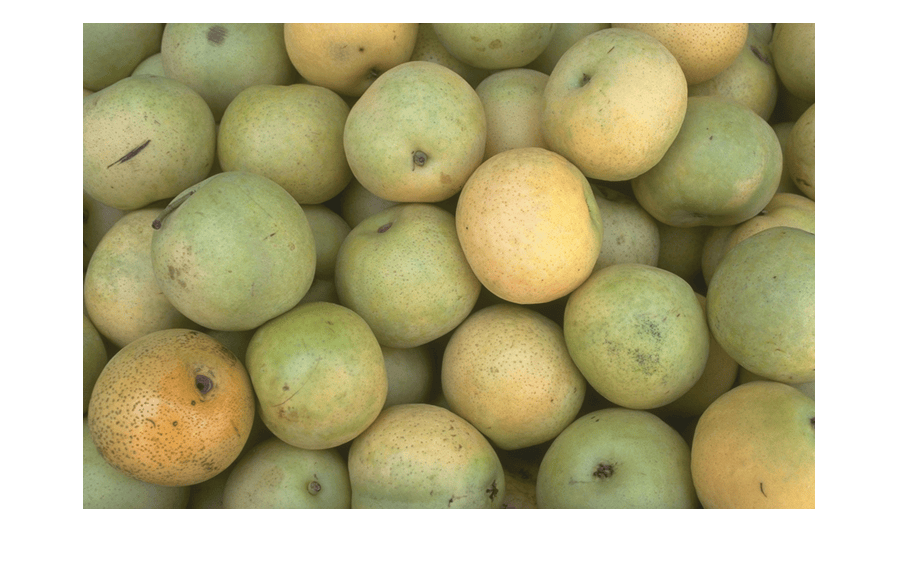
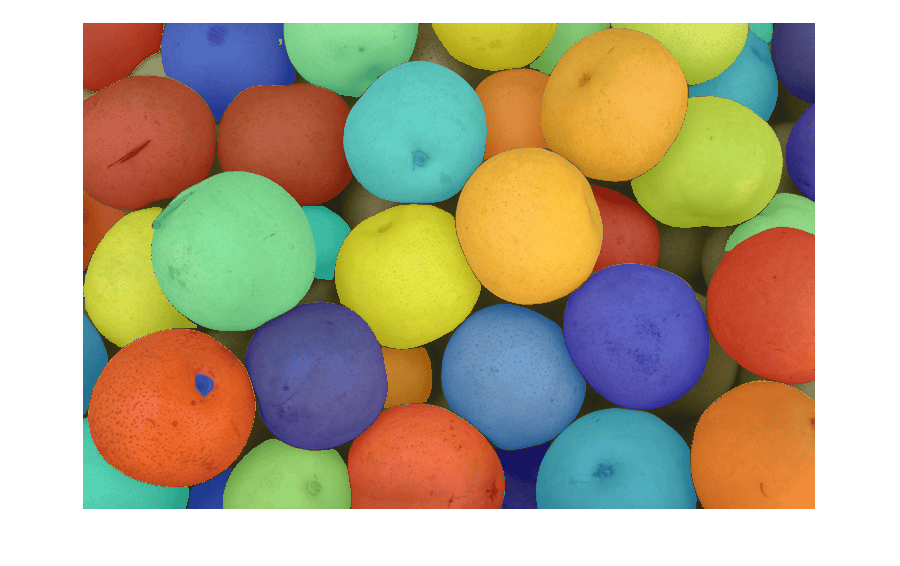
Automatically segment the full image using the Segment Anything Model 2 (SAM 2).
[masks,scores] = imsegsam(I);
Loading Large variant of the SegmentAnythingModel-2.
Loading of SegmentAnythingModel-2 Complete.
Display the masks output, which is a connected component structure.
masks
masks = struct with fields:
    Connectivity: 8
       ImageSize: [486 732]
      NumObjects: 45
    PixelIdxList: {1×45 cell}
Convert the masks to a label matrix format using the labelmatrix function.
labelMatrix = labelmatrix(masks);
Display the masks overlaid on the image, in the order of the smallest object masks on top, using the labeloverlay function.
maskOverlay = labeloverlay(I,labelMatrix);
imshow(maskOverlay,[])
Load an image into the workspace.
I = imread("pears.png");
imshow(I)
Specify an ROI.
roiPosition = [50 100 350 350];
roi = drawrectangle(Position=roiPosition);
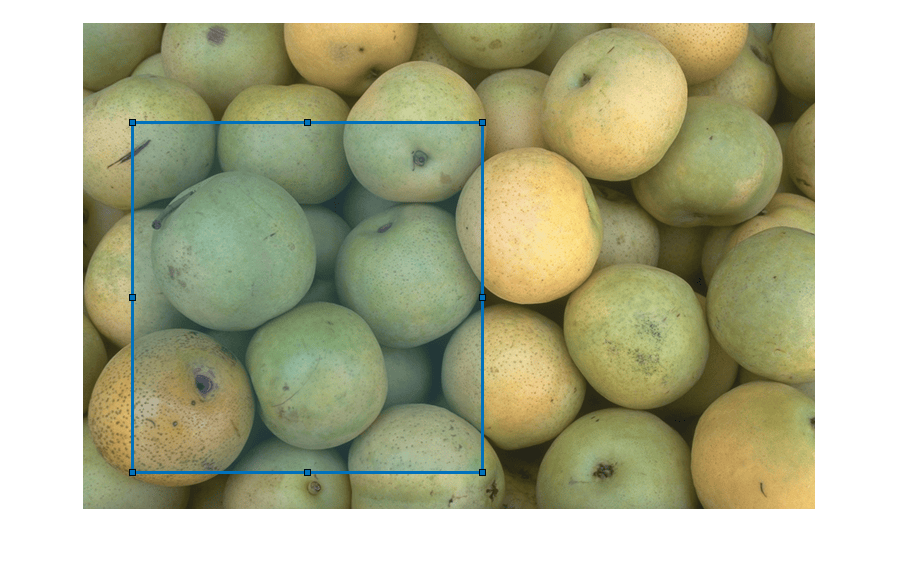
roiMask = createMask(roi);
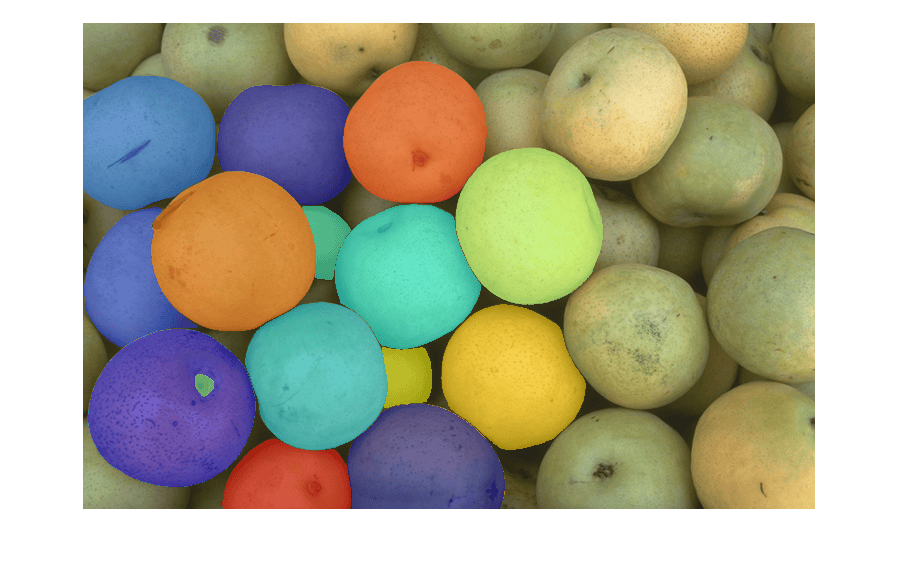
Segment objects within the ROI using SAM.
masks = imsegsam(I,PointGridMask=roiMask);
Convert the masks to a label matrix format using the labelmatrix function.
labelMatrix = labelmatrix(masks);
Display the masks overlaid on the image, in the order of the smallest object masks on top, using the labeloverlay function.
maskOverlay = labeloverlay(I,labelMatrix);
imshow(maskOverlay)
Load an image into the workspace.
I = imread("visionteam.jpg");
imshow(I)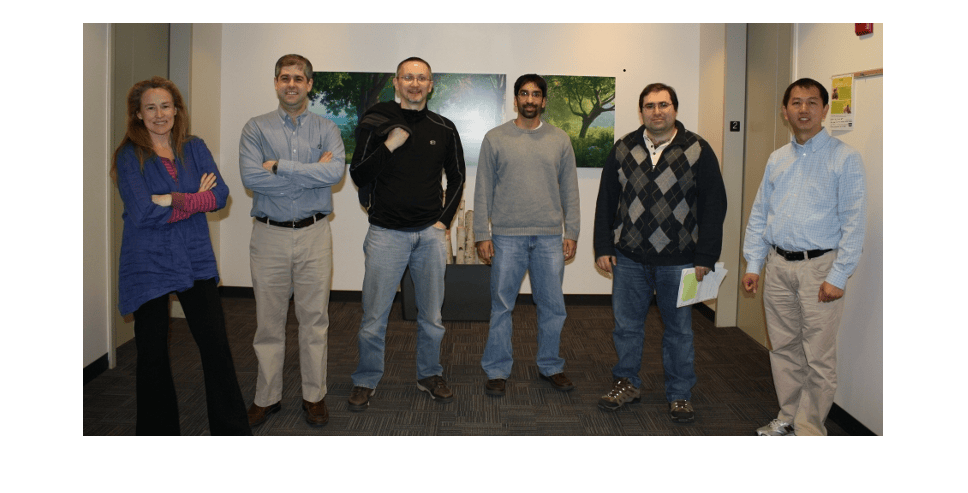
Segment Image Using SAM
Segment the entire image by using the Segment Anything Model (SAM). Reduce the number of segmented objects by increasing the MinObjectArea name-value argument to 3000. Reduce the number of false positive objects by increasing the ScoreThreshold name-value argument to 0.8. Display the progress of the segmentation by specifying the Verbose name-value argument as true.
[masks,scores] = imsegsam(I,ModelName="sam-base",MinObjectArea=3000,ScoreThreshold=0.8,Verbose=true);Loading SegmentAnythingModel. Loading SegmentAnythingModel Complete. Segmenting using Segment Anything Model. --------------------------------------------- Processing crop 1/1. Processed 1024/1024 point prompts.
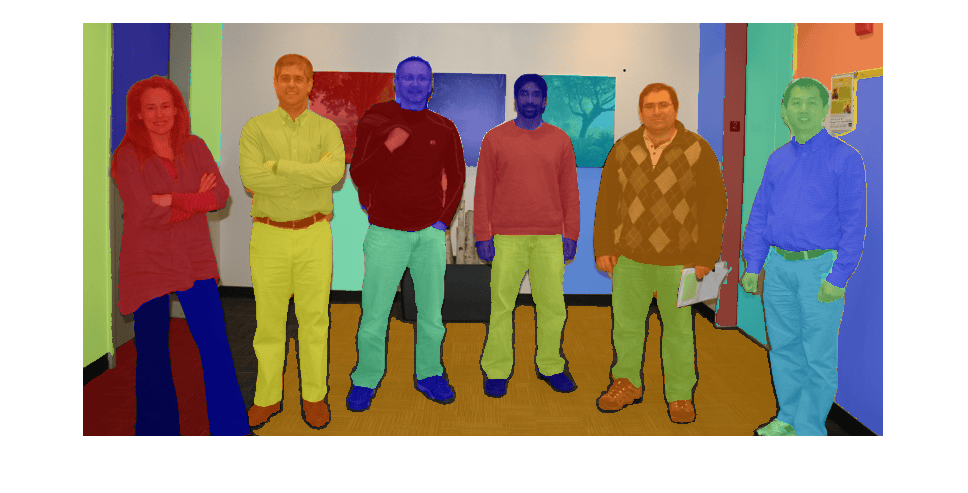
Display Masks in Order of Decreasing Mask Area
Convert the masks to a label matrix format by using the labelmatrix function.
labelMatrix = labelmatrix(masks);
Display the masks overlaid on the image by using the labeloverlay function. By default, the masks are displayed in order of decreasing area, and the smallest masks are on the top of the overlay.
maskOverlay = labeloverlay(I,labelMatrix);
imshow(maskOverlay)
Display Masks in Order of Increasing Mask Area
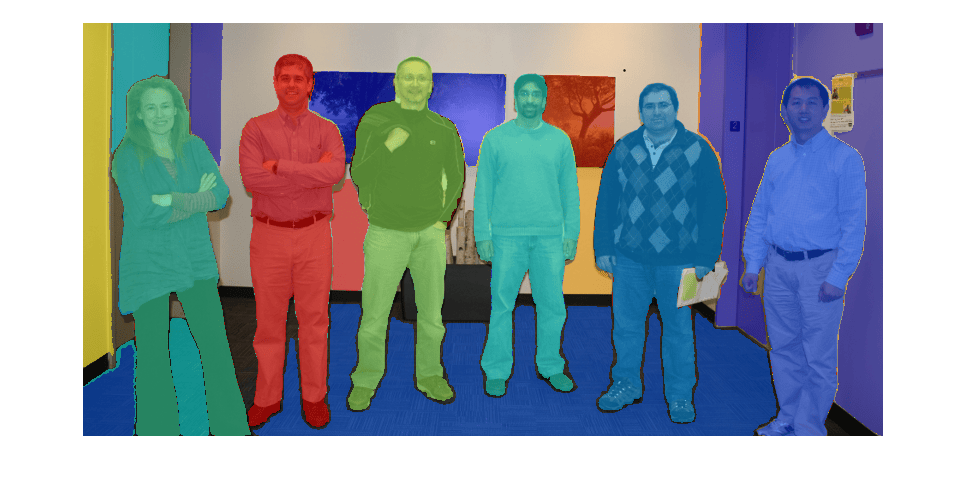
Reverse the order of the masks so that the masks are sorted in order of increasing mask area. The masks are contained in the PixelIdxList field of the masks structure.
numObjects = masks.NumObjects;
masks.PixelIdxList = masks.PixelIdxList(numObjects:-1:1);
Convert the masks to a label matrix format by using the labelmatrix function.
labelMatrix = labelmatrix(masks);
Display the masks overlaid on the image by using the labeloverlay function. The masks are displayed in order of increasing area, and the largest masks are on the top of the overlay.
maskOverlay = labeloverlay(I,labelMatrix);
imshow(maskOverlay)
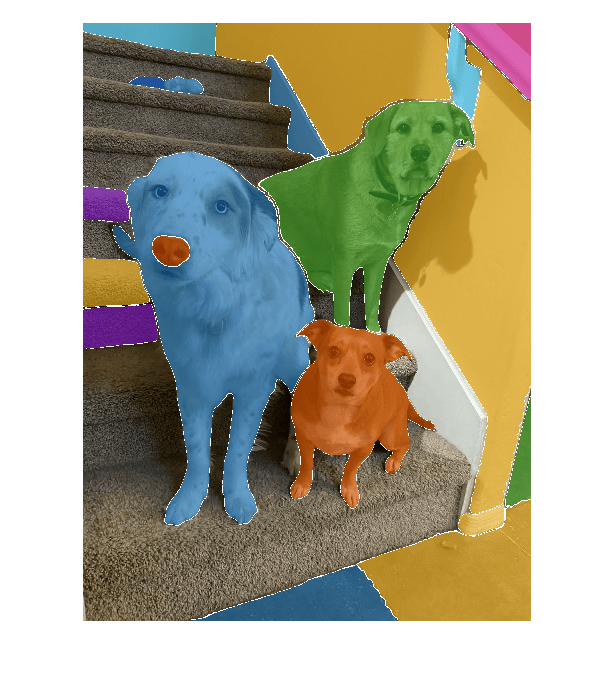
Load an image into the workspace.
I = imread("DogTrio.jpg");
imshow(I)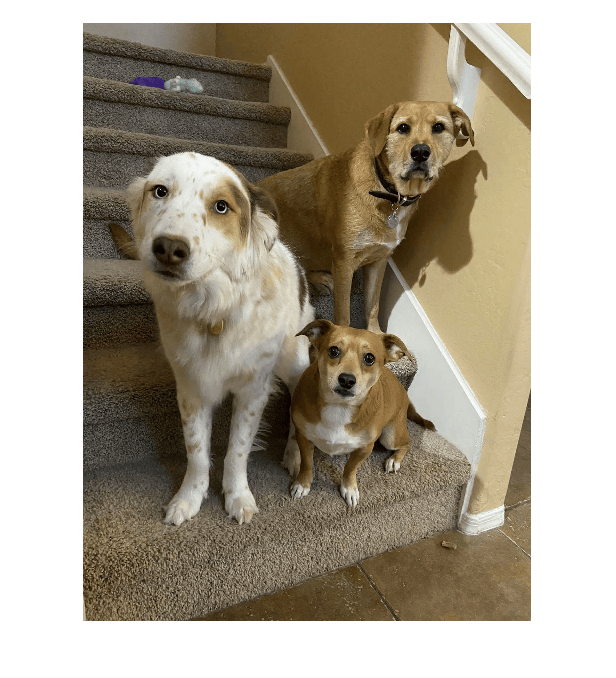
Automatically segment the full image using the Segment Anything Model (SAM). To reduce the number of segmented objects, specify the MinObjectArea name-value argument as 5500. Specify the ScoreThreshold name-value argument as 0.65, and the Verbose name-value argument as false.
[masks,scores] = imsegsam(I,ModelName="sam2-baseplus",MinObjectArea=5500,ScoreThreshold=0.65,Verbose=false);Convert masks, a connected component structure, to a stack of binary masks, maskStack.
maskStack = false(masks.ImageSize(1),masks.ImageSize(2),masks.NumObjects);
for idx = 1:masks.NumObjects
    mask = false(masks.ImageSize(1),masks.ImageSize(2));
    mask(masks.PixelIdxList{idx}) = true;
    maskStack(:,:,masks.NumObjects-idx+1) = mask;
end
Display the masks with white outlines overlaid on the image, with the smallest object masks on top, using the insertObjectMask (Computer Vision Toolbox) function.
overlayedImg = insertObjectMask(I,maskStack,"MaskColor",lines(masks.NumObjects),"LineColor","white");
imshow(overlayedImg)
Input Arguments
Name-Value Arguments
Output Arguments
Tips
For best model performance, use an image with a data range of [0, 255], such as one with a
uint8data type. If your input image has a larger data range, rescale your image to the range [0, 1] by using therescalefunction and then convert the image to theuint8data type by using theim2uint8function.To visualize object masks, you can display the masks as a label matrix or a stack of binary masks.
To create a label matrix from the
masksstructure, use thelabelmatrixfunction. For an example of how to visualize masks using a label matrix, see the Customize Full Image Segmentation example.To create a stack of binary masks, convert the
masksstructure to a logical array. For an example of how to create and display a stack of masks, see the Segment Objects as Mask Stack Using Segment Anything Model.
References
[1] Kirillov, Alexander, Eric Mintun, Nikhila Ravi, Hanzi Mao, Chloe Rolland, Laura Gustafson, Tete Xiao, et al. "Segment Anything," April 5, 2023. https://doi.org/10.48550/arXiv.2304.02643.
[2] Ravi, Nikhila, Valentin Gabeur, Yuan-Ting Hu, Ronghang Hu, Chaitanya Ryali, Tengyu Ma, Haitham Khedr, et al. “SAM 2: Segment Anything in Images and Videos.” arXiv, October 28, 2024. https://doi.org/10.48550/arXiv.2408.00714.
Version History
Introduced in R2024bSee Also
Functions
segmentAnythingModel|sam2VideoObjectSegmenter(Computer Vision Toolbox) |labelmatrix|labeloverlay|insertObjectMask(Computer Vision Toolbox)
Apps
- Image Segmenter | Image Labeler (Computer Vision Toolbox)

