Contenido principal

addboundary

Add polyshape boundary

Description

polyout = addboundary(polyin,x,y) returns a polyshape object that is made up of an existing polyshape plus an additional boundary defined by the x-coordinates and the y-coordinates contained in the vectors x and y.

example

polyout = addboundary(polyin,P) adds the boundary defined by the coordinates contained in the N-by-2 matrix P, where N is the number of vertices.

example

polyout = addboundary(polyin,{x1,x2,...,xM},{y1,y2,...,yM}) adds M boundaries, where the vectors of x-coordinates for each boundary are listed together in a cell array. The corresponding vectors of y-coordinates also are listed together in a cell array. Each xi must have the same length as the corresponding yi, but the number of vertices can vary among the boundaries.

polyout = addboundary(___,Name,Value) specifies additional parameters for adding boundaries to a polyshape for any of the previous syntaxes.

example

Examples

collapse all

Create a rectangle, and then create a second polygon made up of the rectangle plus a triangle.

polyin = polyshape([0 0 1 1],[0 0.5 0.5 0])
polyin = 
  polyshape with properties:

      Vertices: [4×2 double]
    NumRegions: 1
      NumHoles: 0

plot(polyin)
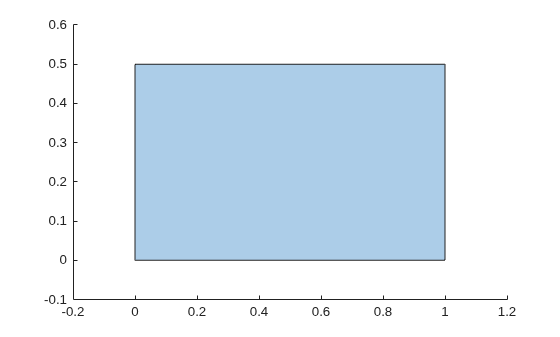
Figure contains an axes object. The axes object contains an object of type polygon.

polyout = addboundary(polyin,[2 3 2.5],[2 2 3])
polyout = 
  polyshape with properties:

      Vertices: [8×2 double]
    NumRegions: 2
      NumHoles: 0

plot(polyout)
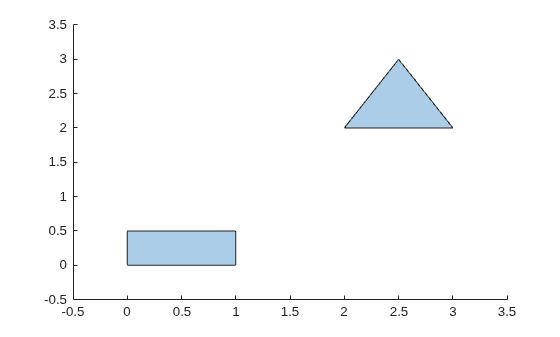
Figure contains an axes object. The axes object contains an object of type polygon.

Create two polyshape objects representing two triangles that do not share any points.

polyin1 = polyshape([0 1 0.5],[0 0 1]);
polyin2 = translate(polyin1,[2 0]);
plot([polyin1 polyin2])
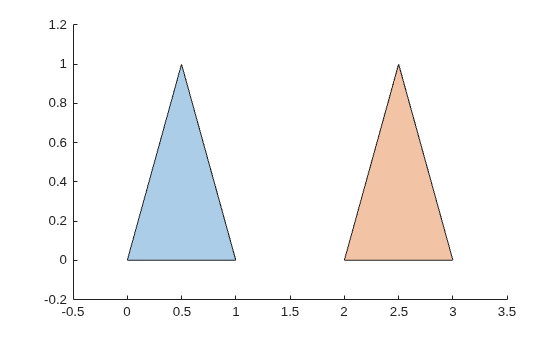
Figure contains an axes object. The axes object contains 2 objects of type polygon.

You can use the addboundary function to combine the triangles by adding the vertices of one triangle to another triangle.

polyout = addboundary(polyin1,polyin2.Vertices);
plot(polyout)
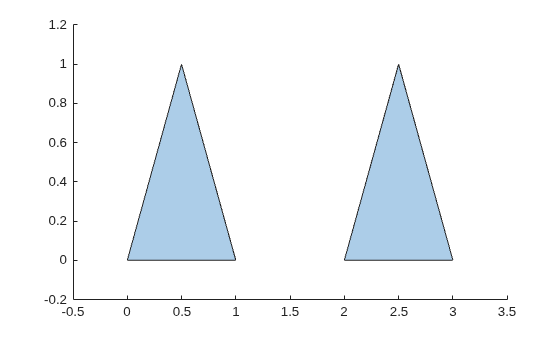
Figure contains an axes object. The axes object contains an object of type polygon.

The recommended approach to combine polyshape objects is to use the union, intersect, subtract, and xor functions. While for completely separate polygons the result of using addboundary is the same as union, for intersecting or nesting polygons the results might differ. For example, create the second triangle by shifting the first triangle by 0.5 along the x-axis.

polyin2 = translate(polyin1,[0.5 0]);
plot([polyin1 polyin2])
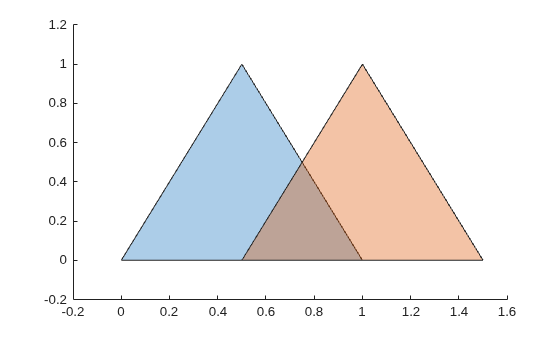
Figure contains an axes object. The axes object contains 2 objects of type polygon.

Combine the triangles by adding the vertices of one triangle to another triangle. By default, addboundary alters the resulting polyshape object vertices to produce a well-defined polyshape object when the input vertices produce intersections or improper nesting.

polyout = addboundary(polyin1,polyin2.Vertices);
Warning: Polyshape has nearly duplicate vertices, intersections, or other inconsistencies that may produce inaccurate or unexpected results. The resulting polyshape has been simplified.
plot(polyout)
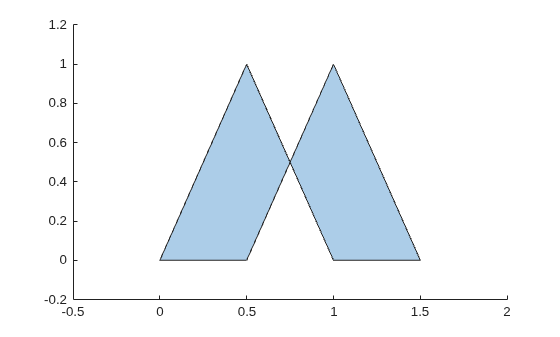
Figure contains an axes object. The axes object contains an object of type polygon.

Avoid altering the resulting polyshape object vertices by setting the Simplify argument value to false. The resulting polyshape object has boundaries inside the shape.

polyout = addboundary(polyin1,polyin2.Vertices, ...
                      Simplify=false);
plot(polyout)
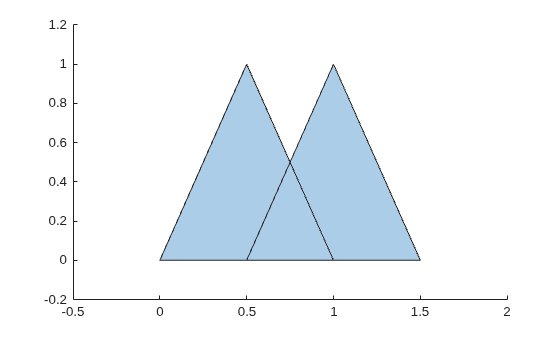
Figure contains an axes object. The axes object contains an object of type polygon.

Combine the two triangles into a well-define polyshape object without extra boundaries by using union.

polyout = union(polyin1,polyin2);
plot(polyout)
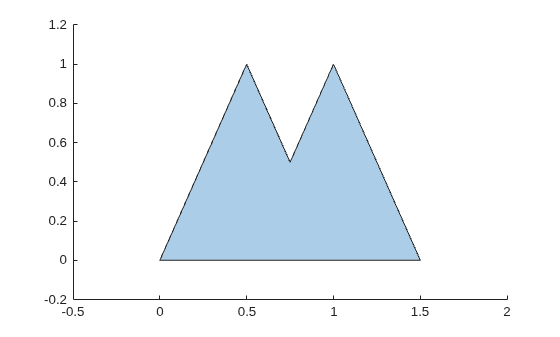
Figure contains an axes object. The axes object contains an object of type polygon.

Input Arguments

collapse all

Input polyshape, specified as a scalar.

Data Types: polyshape

x-coordinates of boundary vertices, specified as a vector. You can represent the coordinates of multiple boundaries simultaneously by placing a NaN between each boundary. For example, polyout = addboundary(polyin,[0 0 1 NaN 1 5 5],[1 0 0 NaN 5 5 1]) returns a polyshape object made up of polyin plus two additional triangles.

Numeric input vertices that are not of type double are automatically converted to type double.

Data Types: double | single | int8 | int16 | int32 | int64 | uint8 | uint16 | uint32 | uint64

y-coordinates of boundary vertices, specified as a vector. You can represent the coordinates of multiple boundaries simultaneously by placing a NaN between each boundary. For example, polyout = addboundary(polyin,[0 0 1 NaN 1 5 5],[1 0 0 NaN 5 5 1]) returns a polyshape object made up of polyin plus two additional triangles.

Numeric input vertices that are not of type double are automatically converted to type double.

Data Types: double | single | int8 | int16 | int32 | int64 | uint8 | uint16 | uint32 | uint64

Boundary vertices, specified as a 2-column matrix. The first column of P contains the x-coordinates of the vertices, and the second column contains the y-coordinates. P must have at least 3 rows.

You can represent the coordinates of multiple boundaries simultaneously by placing a NaN between each boundary. For example, polyout = addboundary(polyin,[1 0; 0 0; 0 1; NaN NaN; 1 5; 5 5; 5 1]) returns a polyshape object made up of polyin, plus two additional triangles.

Numeric input vertices that are not of type double are automatically converted to type double.

Data Types: double | single | int8 | int16 | int32 | int64 | uint8 | uint16 | uint32 | uint64

x-coordinates for M boundaries, specified as a cell array of vectors. The length of each xi can vary, but must match the length of the corresponding yi vector.

Numeric input vertices that are not of type double are automatically converted to type double.

Data Types: cell

y-coordinates of M boundaries, specified as a cell array of vectors. The length of each yi can vary, but must match the length of the corresponding xi vector.

Numeric input vertices that are not of type double are automatically converted to type double.

Data Types: double | single | int8 | int16 | int32 | int64 | uint8 | uint16 | uint32 | uint64

Name-Value Arguments

collapse all

Example: polyout = addboundary(polyin,x,y,SolidBoundaryOrientation="ccw")

Specify optional pairs of arguments as Name1=Value1,...,NameN=ValueN, where Name is the argument name and Value is the corresponding value. Name-value arguments must appear after other arguments, but the order of the pairs does not matter.

Before R2021a, use commas to separate each name and value, and enclose Name in quotes.

Boundary orientation, specified as one of these values:

  • "auto" — Automatically choose vertex orientation as clockwise or counterclockwise for solid boundaries.

  • "cw" — Treat clockwise vertex orientation as a solid boundary.

  • "ccw" — Treat counterclockwise vertex orientation as a solid boundary.

The vertex orientation is not important for most applications and is primarily an algorithmic tool for determining boundary nesting. This parameter is typically specified for consistency and efficiency purposes when polygon data is produced by other software using a particular convention.

Vertex alteration, specified as one of these values:

  • true — Alter vertices of a polyshape object to produce a well-defined polyshape object when the input vertices produce intersections or improper nesting.

  • false — Do not alter input vertices regardless of intersections or improper nesting. Computing with ill-defined polyshape objects can lead to inaccurate or unexpected results.

Data Types: logical

Collinear vertices, specified as one of these values:

  • false — Remove collinear points so that the output polyshape contains the fewest vertices necessary to define the boundaries.

  • true — Keep all collinear points as vertices.

When KeepCollinearPoints is not specified, its value is automatically set to the value used when creating the input polyshape.

Data Types: logical

Extended Capabilities

expand all

Version History

Introduced in R2017b