Reporting and Database Access
R2026bUse Database Toolbox™ to import and export data between various databases and MATLAB. Database Toolbox supports ODBC-compliant or JDBC-compliant relational databases. It also provides NoSQL support for Apache® Cassandra®, MongoDB®, and Neo4j®. Native interfaces are available for MySQL®, PostgreSQL, and SQLite.
Use MATLAB Report Generator™ and Simulink Report Generator to design and generate reports in PDF, Microsoft® Word, Microsoft PowerPoint®, and HTML. You can use prebuilt, customizable templates or design reports based on templates and standards in your organization.
With MATLAB Report Generator, you can design and generate reports from MATLAB applications. Dynamically capture results and figures from your MATLAB code and document those results in reports that you can share with others in your organization.
With Simulink Report Generator, you can generate reports from Simulink models and simulations. Create web views to view, navigate, and share Simulink models from a web browser without a Simulink license. You can embed web views in HTML code generation, requirements, coverage, and other types of reports.
Products for Reporting and Database Access
Database Toolbox
Interact with relational and NoSQL databases
MATLAB Report Generator
Design and automatically generate reports from MATLAB applications
Simulink Report Generator
Design and automatically generate reports from Simulink models and Stateflow charts
Topics
Interact with Databases
- Data Import Using Database Explorer App or Command Line (Database Toolbox)
Learn how to import data from a database into MATLAB. - Create SQL Queries Using Database Explorer App (Database Toolbox)
Create multiple SQL queries in the same database, in different catalogs or schemas, or in different databases. - Analyze Large Data in Database Using Tall Arrays (Database Toolbox)
Find the minimum value in a large data set by using a tall table. - Explore and Import Data from Cassandra Database Table (Database Toolbox)
Access the structure of a Cassandra database and import data from the database with a keyspace, database table, and partition key value using the Apache Cassandra database C++ interface. - Import and Analyze Data from MongoDB Using MongoDB C++ Interface (Database Toolbox)
Import documents from a MongoDB collection into the MATLAB workspace and perform data analysis on the numerical fields.
Design and Generate Reports
- Create Microsoft Word Templates (MATLAB Report Generator)
Learn how to create a Word template for a report. - Create HTML and PDF Templates (MATLAB Report Generator)
Learn how to create an HTML or PDF template for a report. - Create Report Generators for Simulink and Stateflow Elements (Simulink Report Generator)
Simplify your report generation script by using Simulink and Stateflow® element finders and reporters. - Create Simulink Report Generator Reports (Simulink Report Generator)
Use the Report API to generate reports for Simulink model simulations. - Create and Use Web Views of Models (Simulink Report Generator)
Export models to web views and navigate the views.
Videos
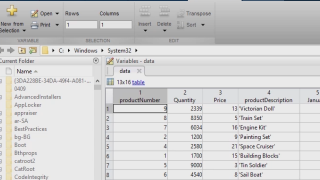
Access and Explore Relational Data with the Database Explorer App
This video shows how you can use the Database Explorer App to access your
relational/SQL data and analyze it in MATLAB.
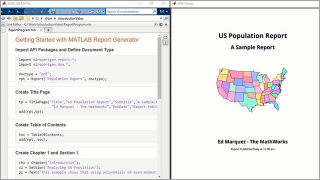
Getting Started with the Report API
This video shows how to use MATLAB
Report Generator to generate highly customizable reports.
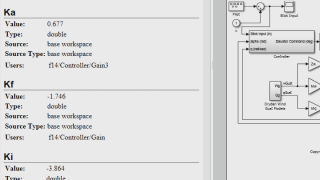
Embedded Web View
This video shows how to use the embedded web view API to create
interactive HTML reports of Simulink models.

