No linealidad
R2026aCuando se resuelven problemas reales de ciencia e ingeniería, suele ser necesario modelar no linealidades. Simulink® proporciona un conjunto completo de bloques Lookup Table, objetos y herramientas que se pueden utilizar para modelar no linealidades de manera eficiente. Las tablas de búsqueda asignan los valores de entrada de un sistema a sus valores de salida y almacenan los valores asignados en una tabla. Durante los cálculos en tiempo real, las tablas de búsqueda utilizan los datos almacenados para buscar salidas que correspondan a diferentes entradas de un sistema.
Puede utilizar bloques Lookup Table, objetos y herramientas para hacer lo siguiente:
Modelar sistemas no lineales sin estados aproximando funciones matemáticas o datos experimentales mediante tablas de búsqueda.
Simular, analizar y ajustar tablas de búsqueda dentro de un flujo de trabajo de diseño basado en modelos.
Optimizar tablas de búsqueda para equilibrar el uso de memoria, el rendimiento de ejecución y la precisión numérica.
Generar código listo para producción para lenguajes objetivo admitidos con interfaces que cumplen los estándares de la industria.

Bloques
 | 1-D Lookup Table | Approximate one-dimensional function |
 | 2-D Lookup Table | Approximate two-dimensional function |
 | Direct Lookup Table (n-D) | Index into n-dimensional table to retrieve element, vector, or 2-D matrix |
 | Interpolation Using Prelookup | Use precalculated index and fraction values to accelerate approximation of N-dimensional function |
| Lookup Table Dynamic | ||
 | n-D Lookup Table | Approximate n-dimensional function |
 | Prelookup | Compute index and fraction for Interpolation Using Prelookup block |
 | Sine, Cosine | Implement fixed-point sine or cosine wave using lookup table approach that exploits quarter wave symmetry |
Objetos
Simulink.LookupTable | Store and share lookup table and breakpoint data, and configure data for ASAP2 and AUTOSAR code generation |
Simulink.Breakpoint | Store and share data for breakpoint set, and configure the data for ASAP2 and AUTOSAR code generation |
Simulink.lookuptable.Evenspacing | Configure evenly spaced breakpoint set for lookup table object |
Simulink.lookuptable.Table | Configure table data for lookup table object |
Simulink.lookuptable.Breakpoint | Configure breakpoint set data for lookup table object |
Simulink.lookuptable.StructTypeInfo | Configure settings for structure type that lookup table object uses in generated code |
Herramientas
| Lookup Table Editor | Create, edit, and manage lookup tables in models (Desde R2022a) |
Temas
Trabajar con Lookup Tables
- Edit and Visualize Lookup Table Data
View, add, delete, or update lookup table data. - Enter Breakpoints and Table Data
Specify breakpoint vectors and table data for a lookup table. - Import Data to Lookup Table
Import table and breakpoint data from MATLAB® workspace and Excel® spreadsheets. - Visualize Lookup Table Data Using Lookup Table Control
Visualize lookup table data. - Configure Lookup Table Block for Logarithmic Operation
Configure an n-D Lookup Table block for logarithmic operation with the common logarithmic base (base 10). - Optimize Generated Code for Lookup Table Blocks
Optimize code for Lookup Table blocks. - Use Row-Major Algorithms for Lookup Table Blocks
Use row-major algorithms for C/C++ code generation from models containing Lookup Table blocks. - Optimize Lookup Tables for Memory-Efficiency (Fixed-Point Designer)
Optimize Lookup Tables using the Lookup Table Optimizer.
Acerca de Lookup Tables
- Acerca de los bloques Lookup Table
Un bloque Lookup Table utiliza un arreglo de datos para asignar valores de entrada a valores de salida, aproximándose a una función matemática. - Specify Breakpoint and Table Data with Variable Size and Symbolic Dimensions
Specify breakpoint and table data that changes size during model simulation or represented by symbolic dimensions. - Choose Lookup Table Blocks Based on Input, Breakpoint and Output Data
Select the Lookup Table block best suited for your application. - Common Uses of Prelookup and Interpolation Using Prelookup Blocks
Common use cases of the Prelookup and Interpolation Using Prelookup blocks. - Choose Numerical Methods to Approximate Function Values
Set the method by which Lookup Table blocks approximate function values.
Actualizar Lookup Tables a partir de la versión anterior
- Update Lookup Table Blocks to New Versions
Update existing models to use current versions of lookup table blocks.
Ejemplos destacados
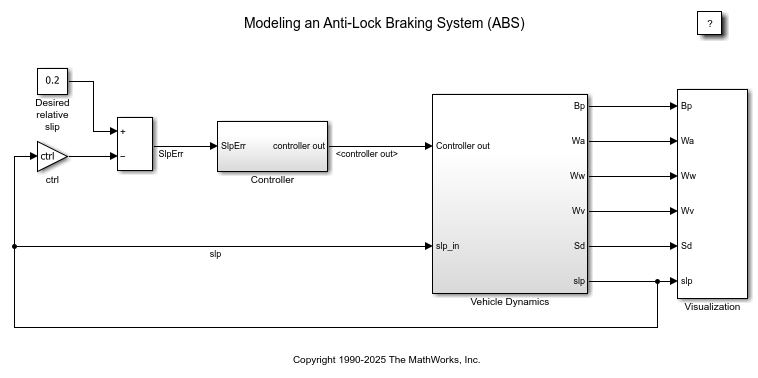
Modelar un sistema de frenado antibloqueo
En este ejemplo se muestra cómo modelar un sistema de frenado antibloqueo (ABS) sencillo. El modelo simula el comportamiento dinámico de un vehículo en condiciones de frenado difíciles. El modelo representa una única rueda, que puede replicarse varias veces para crear un modelo para un vehículo de múltiples ruedas.
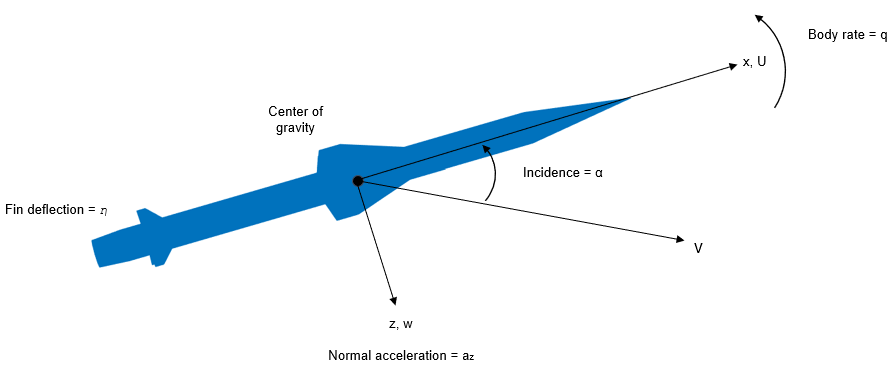
Design a Guidance System in MATLAB and Simulink
Use the model of the missile airframe presented in a number of published papers on the use of advanced control methods applied to missile autopilot design. See [1], [2], and [3]. The model represents a tail-controlled missile traveling between Mach 2 and Mach 4, at altitudes ranging between 10,000 ft (3,050 m) and 60,000 ft (18,290 m), with typical angles of attack ranging between +/- 20 degrees.
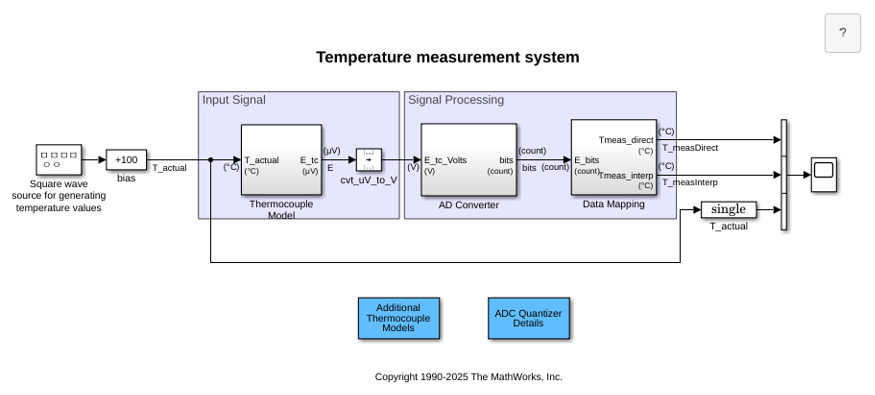
Temperature Measurement System Using Nonlinear Behavioral Data of Type S Thermocouple
Build and simulate a temperature measurement system that uses a nonlinear dataset describing the behavior of a type S thermocouple.
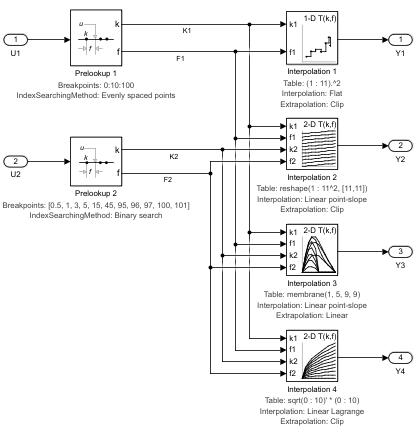
Using the Prelookup and Interpolation Using Prelookup Blocks
Use the Prelookup and Interpolation Using Prelookup blocks.
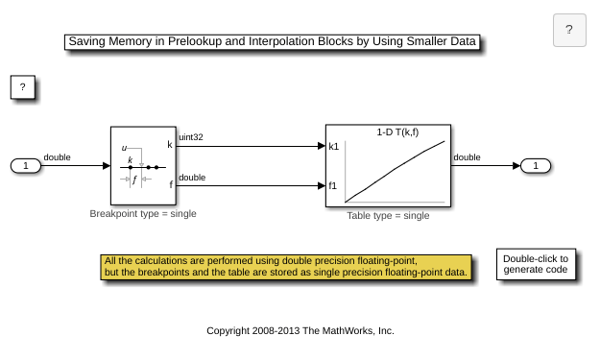
Saving Memory in Prelookup and Interpolation Using Prelookup Blocks by Using Smaller Data
Save memory in Prelookup and Interpolation Using Prelookup blocks. The Prelookup and Interpolation Using Prelookup blocks allow you to explicitly set data type for storing breakpoints and table data, respectively. The Prelookup block allows the breakpoint data to differ from the input data type, and the Interpolation Using Prelookup block allows the table data to differ from the output data type.

