plotCamera
R2026bPlot camera in 3-D coordinates
Syntax
Description
plots a default
camera in 3-D coordinates in the current axes. The function returns
cam = plotCameracam, a Camera object that contains
the properties of the plotted camera.
plots one or more cameras specified by cam = plotCamera(cameraTable)cameraTable.
specifies options using one or more name-value arguments in addition to any
combination of arguments from previous syntaxes. For example,
cam = plotCamera(Name=Value)Opacity=0.4 sets the opacity of the plotted camera to
0.4.
The name-value pair arguments set the associated properties of the plotted camera visualization object.
Examples
Create a rigidtform3d object.
initialRotation = [1 0 0;
0 0 1;
0 -1 0];
initialTranslation = [10 0 20];
pose = rigidtform3d(initialRotation,initialTranslation);Plot a camera with an opacity of zero and an absolute pose based on the created rigidtform3d object.
cam = plotCamera(AbsolutePose=pose,Opacity=0)
cam =
Camera with properties:
Parent: [1×1 Axes]
Size: 1
AbsolutePose: [1×1 rigidtform3d]
Visible: 1
AxesVisible: 0
ButtonDownFcn: ''
Color: [1 0 0]
Opacity: 0
Label: ''
Set viewing properties for the current axes.
grid on axis equal axis manual
Expand the viewable limits of each axis. These changes enable the entire animation to be visible in the next step.
xlim([-15 20]); ylim([-15 20]); zlim([15 25]);
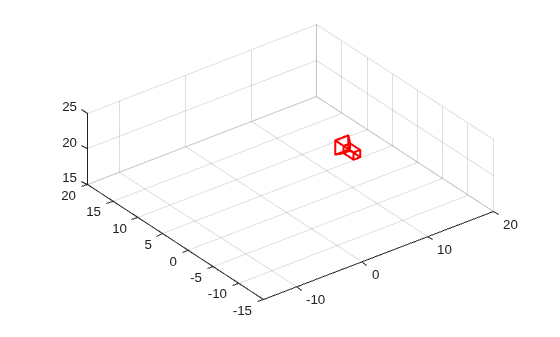
Rotate the camera around the y-axis.
for theta = 0:10:1800 updateAngles = [0 -theta 0]; updateTranslation = [10*cosd(theta) 10*sind(theta) 20]; updateTform = rigidtform3d(updateAngles, updateTranslation); cam.AbsolutePose = rigidtform3d(initialRotation * updateTform.R, updateTform.Translation); drawnow(); end
Create a set of calibration images.
imds = imageDatastore(fullfile(toolboxdir("vision"),"visiondata","calibration","slr"));
Detect the checkerboard corners in the images.
[imagePoints,patternDims] = detectCheckerboardPoints(imds.Files);
Generate the world coordinates of the checkerboard corners in the pattern-centric coordinate system, with the upper-left corner at (0,0). Set the square size to 29 mm.
squareSize = 29; % millimeters worldPoints = patternWorldPoints("checkerboard",patternDims,squareSize);
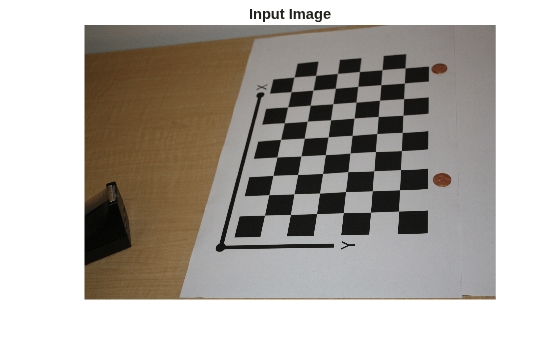
Load an image at its new location.
imOrig = imread(fullfile(toolboxdir("vision"),"visiondata","calibration","slr","image9.jpg")); figure; imshow(imOrig); title("Input Image");
Calibrate the camera.
cameraParams = estimateCameraParameters(imagePoints,worldPoints,ImageSize=size(imOrig,1:2));
Undistort the image.
im = undistortImage(imOrig,cameraParams.Intrinsics);
Find the reference object in the new image.
[imagePoints,patternDims] = detectCheckerboardPoints(im);
Compute the new extrinsics.
camExtrinsics = estimateExtrinsics(imagePoints,worldPoints,cameraParams.Intrinsics);
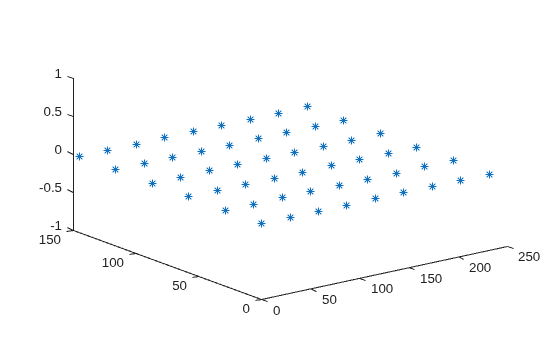
Plot the world points.
figure; plot3(worldPoints(:,1),worldPoints(:,2),zeros(size(worldPoints, 1),1),"*"); hold on
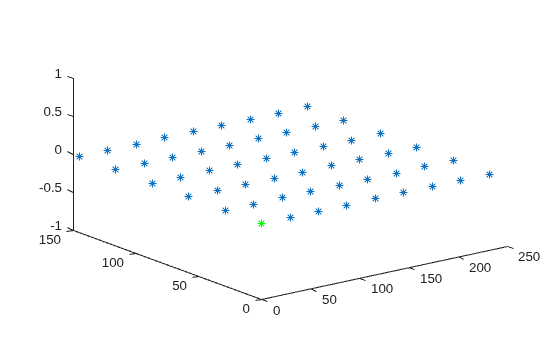
Mark the origin.
plot3(0,0,0,"g*");
Compute the camera location and orientation.
absPose = extr2pose(camExtrinsics);
Plot the camera.
cam = plotCamera(AbsolutePose=absPose,Size=20);
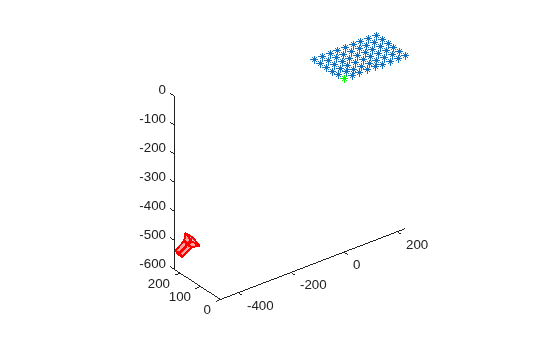
Make the z -axis point down.
set(gca,CameraUpVector=[0 0 -1]);
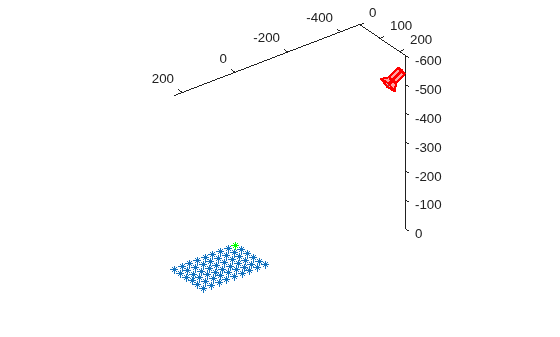
Set the view parameters.
camorbit(gca,-110,60,data=[0 0 1]); axis equal grid on
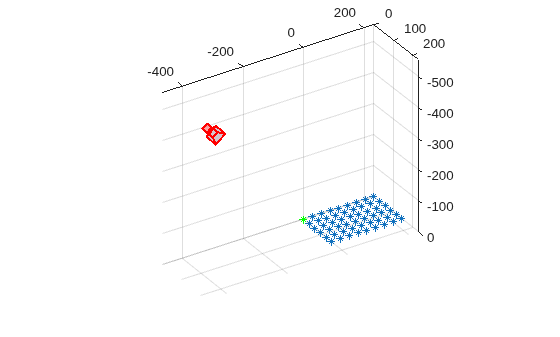
Turn on 3-D rotation.
cameratoolbar('SetMode','orbit');
Label the axes.
xlabel("X (mm)"); ylabel("Y (mm)"); zlabel("Z (mm)");
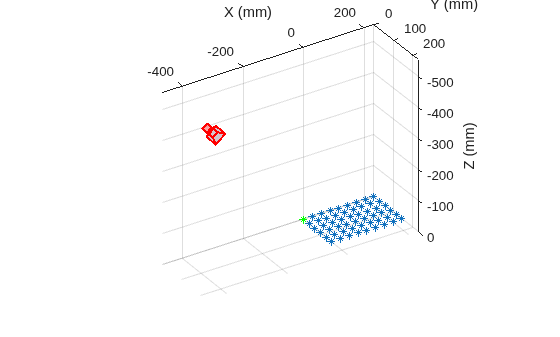
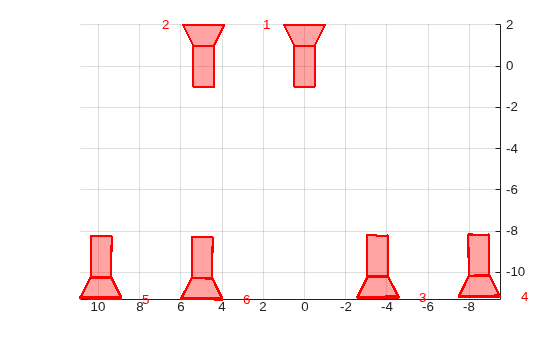
Load the poses of multiple cameras as a vector of rigidtform3d objects.
load("multiCameraPoses.mat")Plot the cameras and show the results in a top-down view.
plotCamera(poses); axis equal view([0 1 0]) grid on
Input Arguments
Properties of cameras for visualization, specified as a table. Each row
represents a single camera. Each column title must match the name-part of a
name-value pair argument. The nth-row values set the
properties for the nth element of
cam. You cannot specify values for
Parent. If the table contains a
ViewId column, then the view IDs are used to set the
Label values of the cameras.
Camera visualization, specified as a scalar or an array of rigidtform3d objects. These objects represent the camera poses
in world coordinates.
Name-Value Arguments
Specify optional pairs of arguments as
Name1=Value1,...,NameN=ValueN, where Name is
the argument name and Value is the corresponding value.
Name-value arguments must appear after other arguments, but the order of the
pairs does not matter.
Before R2021a, use commas to separate each name and value, and enclose
Name in quotes.
Example: Size=0.3 specifies the camera-base width as
0.3.
Camera absolute pose in the world coordinate system, specified as a
rigidtform3d object.
Camera-base width, specified as a positive numeric scalar. The value is a unitless scale factor that controls the size of the camera in the visualization. Increase the value to display a larger camera representation.
Camera label, specified as an array of strings or a cell array of
character vectors. When camera poses are the initial input, the size of
Label must match the size of
camPoses.
Camera color, specified as an RGB triplet. An RGB triplet is a three-element row vector whose elements specify the intensities of the red, green, and blue components of the color. The intensities must be in the range [0, 1].
Camera opacity, specified as a scalar in the range [0, 1].
Camera visibility, specified as a numeric or logical
1 (true) or
0 (false).
Camera axes visibility, specified as a numeric or logical
1 (true) or
0 (false).
Callback function, specified as a function handle that executes when you click the camera.
Output axes, specified as an axes handle. By default,
plotCamera uses the current axes handle. To
return the current axes, use the gca function.
Output Arguments
Camera visualization object, returned as one of these options.
Cameraobject — The function returns this option when plotting a single camera. Name-value arguments orcameraTableinput elements set the correspondingCameraobject properties.Row vector of
Cameraobjects — The function returns this option when plotting multiple cameras. The nth -row values of thecameraTableinput set the properties for the nthCameraobject in this vector.
Camera objects are created using the
vision.graphics.Camera class, which contains the
following properties:
Version History
Introduced in R2015aAdded a new syntax to specify camera poses in world coordinates as a vector of
rigidtform3d objects and enhanced the
Label name-value argument to support multiple camera
poses.
Starting in R2022b, most Computer Vision Toolbox™ functions create and perform geometric transformations using the
premultiply convention. Accordingly, you can now specify the
AbsolutePose name-value argument as a rigidtform3d object, which uses the premultiply convention.
Although you can still specify AbsolutePose as a rigid3d
object, this object is not recommended because it uses the postmultiply convention.
You can streamline your geometric transformation workflows by switching to the new
premultiply geometric transformation objects. For more information, see Migrate Geometric Transformations to Premultiply Convention.
The plotCamera function now accepts a
rigid3d
object to specify a camera pose. Starting in R2020a, you must use the rigid3d
object instead of the Location and Orientation
properties to specify the pose.
MATLAB Command
You clicked a link that corresponds to this MATLAB command:
Run the command by entering it in the MATLAB Command Window. Web browsers do not support MATLAB commands.
Seleccione un país/idioma
Seleccione un país/idioma para obtener contenido traducido, si está disponible, y ver eventos y ofertas de productos y servicios locales. Según su ubicación geográfica, recomendamos que seleccione: .
También puede seleccionar uno de estos países/idiomas:
Cómo obtener el mejor rendimiento
Seleccione China (en idioma chino o inglés) para obtener el mejor rendimiento. Los sitios web de otros países no están optimizados para ser accedidos desde su ubicación geográfica.
América
- América Latina (Español)
- Canada (English)
- United States (English)
Europa
- Belgium (English)
- Denmark (English)
- Deutschland (Deutsch)
- España (Español)
- Finland (English)
- France (Français)
- Ireland (English)
- Italia (Italiano)
- Luxembourg (English)
- Netherlands (English)
- Norway (English)
- Österreich (Deutsch)
- Portugal (English)
- Sweden (English)
- Switzerland
- United Kingdom (English)