Surround color for display
Mostrar comentarios más antiguos
When I create a display using pcolor of data that is contained within a circle I insert NaN values in all locations not within the circle and then the display creates white areas where the NaNs are located. Is there any way I can get this same effect but have the surround black instead of whiite?
Respuesta aceptada
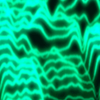
When you mask off data using NaN, the plot is simply not drawn there, revealing whatever graphics objects might be beneath it. If there aren't other objects beneath it in the axes, the color that's shown in that region is the axes background color, and is independent of the colormap that's in use. Just set the color of the axes to whatever color you want.
numpoints = [1000 1000]; % [x y]
% build boundary curve
x = linspace(-2,2,numpoints(1));
y = 4*x-x.^3;
% build 2D map
y2 = linspace(-4,4,numpoints(2)).';
z = sin(x*2).*sin(y2*2);
% set unwanted map data to NaN
z(y2>y) = NaN;
% plot it
pcolor(x,y2,z)
colormap(parula)
shading flat
set(gca,'color','m') % magenta

% or maybe a different color
figure
pcolor(x,y2,z)
colormap(parula)
shading flat
set(gca,'color','k') % black

6 comentarios

Charles Campbell
el 19 de Jun. de 2022
I just changed some of the explanation to be a bit more generalized. It was not strictly true that the NaN areas show the axes background color. More generally speaking, it shows whatever is beneath the pcolor() object in the stack. The difference is likely not relevant for your usage, but it might be for the next person who comes along.
Charles Campbell
el 19 de Jun. de 2022
Charles Campbell
el 19 de Jun. de 2022

Image Analyst
el 19 de Jun. de 2022
Think of an axes having, or being able to have, a bunch of images on top of each other in a stack. Each image is a layer. If you've ever used Photoshop you're familiar with layers where images are stacked on top of each other vertically. And you can specify the order of the layers (what's on top of what). It's like that.
What @Image Analyst said is basically the analogy I'd give. Objects in the figure window are ultimately reduced to raster images that are composited just as you might combine transparent images in an image manipulation environment or how one might stack multiple cels in traditional animation.
As far as how to tell what's in the "stack", that's kind of hard to say. On one hand, you can look at the 'children' property of the axes or figure to see what objects are there, but it might not always be clear whether those objects are relevant to the discussion. For example, it's possible to position objects (e.g. text objects) outside the extent of their parent axes. While it's possible that objects within the axes can be made invisible, certain visible objects may have their handles hidden, preventing them from showing up when checking the descendants of their assumed parent.
As confusing as that sounds, it's usually pretty straightforward. There are usually only a few major objects in the axes, and you'll know what they are because you wrote the code. Their stacking order is usually apparent based on the order they were created. The stacking order of an object can be manipulated with uistack().
Más respuestas (1)
Image Analyst
el 15 de Jun. de 2022
0 votos
Why not just write 0's to those pixels instead of NaNs?
4 comentarios
Charles Campbell
el 15 de Jun. de 2022
Image Analyst
el 17 de Jun. de 2022
Why would that be? Do you have an indexed image? If so just assign the value to the value in the colormap that is black.
Charles Campbell
el 17 de Jun. de 2022
Image Analyst
el 17 de Jun. de 2022
I did think of that, or something like that. It really doesn't matter if the matrix values represent an intensity like a regular gray scale image or a height or elevation. I was thinking values were brightness but they just as well could have been elevation. That's why I suggested using a colormap and it looks like you found a working solution using that. You should also look at the function clim (r2022a or later) or caxis (r2021b or earlier).
But @DGM presented an alternative way and it looks like you preferred that way since you accepted the answer.
Categorías
Más información sobre Geographic Plots en Centro de ayuda y File Exchange.
Community Treasure Hunt
Find the treasures in MATLAB Central and discover how the community can help you!
Start Hunting!
Translated by 

