detecting circle using hough tranform
Mostrar comentarios más antiguos

I am trying to detect circle using hough transform using the image above. My code is
RGB = imread('img1.jpg');
imshow(RGB);
Rmin = 60; Rmax = 100;
[center, radius] = imfindcircles(RGB, [Rmin Rmax], 'Sensitivity', 0.9)
viscircles(center, radius);
hold on;
plot(center(:,1), center(:,2), 'yx', 'LineWidth', 2);
hold off;
It's showing error saying
"Index in position 2 exceeds array bounds.
Error in hough (line 7)
plot(center(:,1), center(:,2), 'yx', 'LineWidth', 2);"
Can I get help to fix this? Thanks in advance.
Respuestas (3)
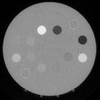
The range of radius is too small and the sensitivity may not be good enough.
I choose radius from 100 to 150 pixels and sensitivity 0.98 as follows:
RGB=imread('https://www.mathworks.com/matlabcentral/answers/uploaded_files/1128355/image.png');
imshow(RGB);
Rmin = 100; Rmax = 150;
[center, radius] = imfindcircles(RGB, [Rmin Rmax], 'Sensitivity', 0.98)
viscircles(center, radius);
hold on;
plot(center(:,1), center(:,2), 'yx', 'LineWidth', 2);
hold off;


Image Analyst
el 18 de Sept. de 2022
0 votos
center is probably empty. To correct, try changimg some of the input parameters. But why use hough/imfindcircles? For the image you showed, you can easily find the circles using the ColorThresholder (which does thresholding) or simply thresholding the green channel.
2 comentarios

Md
el 18 de Sept. de 2022
Image Analyst
el 18 de Sept. de 2022
Oh, you didn't say it was your homework.
I've now tagged it as homework.
So what did you think of @Simon Chan's answer? It seems to work, following along the lines of your code.

I find that imfindcircles is often hard to parameter-tune. Here's an alternative solution using this circle-fitting tool,
A=imread('Image.png');
BW=bwareaopen(A(:,:,2)>150,500);
bd=bwboundaries(bwconvhull(BW,'objects'));
clear center radius;
imshow(A);hold on
for i=numel(bd):-1:1
xy=fliplr(bd{i})';
fitobj=circularFit(xy);
center{i}=fitobj.center;
radius{i}=fitobj.radius;
fitobj.showfit(LineWidth=4);
end; hold off

Categorías
Más información sobre Hough Transform en Centro de ayuda y File Exchange.
Productos
el 18 de Sept. de 2022
el 18 de Sept. de 2022
Community Treasure Hunt
Find the treasures in MATLAB Central and discover how the community can help you!
Start Hunting!
Translated by 

