AUTOSAR Calibration and Measurement Data
R2026bAUTOSAR parameters and variables support run-time tuning and monitoring of an AUTOSAR application with calibration and measurement tools. After you create a Simulink® model mapped to an AUTOSAR software component, you can use the Code Mappings editor or equivalent AUTOSAR map functions to configure code and calibration attributes for the following elements:
Model parameter or lookup table mapped to:
AUTOSAR constant memory
AUTOSAR internal calibration parameter
AUTOSAR port parameter
Signal, state, or data store mapped to:
AUTOSAR static memory
AUTOSAR per-instance memory
Model entry-point function mapped to AUTOSAR runnable
Internal data inside a model entry-point function
Blocks
 | Curve | Approximate one-dimensional function |
 | Curve Using Prelookup | Use previously calculated index and fraction values to accelerate approximation of one-dimensional function |
 | Map | Approximate two-dimensional function |
 | Map Using Prelookup | Use previously calculated index and fraction values to accelerate approximation of two-dimensional function |
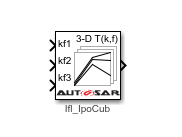 | Cuboid Using Prelookup | Use previously calculated index and fraction values to accelerate approximation of three-dimensional function (Since R2026b) |
 | Prelookup | Compute index and fraction for a Curve Using Prelookup or Map Using Prelookup block |
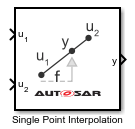 | Single Point Interpolation | Perform single point interpolation (Since R2023a) |
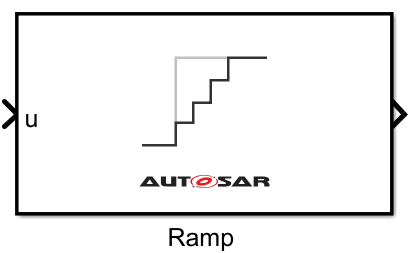 | Ramp | Generate signal that follows input value bound by rising or falling slope (Since R2023b) |
Tools
| Code Mappings Editor | Map AUTOSAR elements for code generation |
Functions
addSignal | Add Simulink block signal to AUTOSAR mapping |
getDataStore | Get AUTOSAR mapping information for Simulink data store |
getFunction | Get AUTOSAR mapping information for Simulink entry-point function |
getInport | Get AUTOSAR mapping information for Simulink inport |
getOutport | Get AUTOSAR mapping information for Simulink outport |
getParameter | Get AUTOSAR mapping information for Simulink model workspace parameter |
getSignal | Get AUTOSAR mapping information for Simulink block signal |
getState | Get AUTOSAR mapping information for Simulink block state |
mapDataStore | Map Simulink data store to AUTOSAR variable |
mapFunction | Map Simulink entry-point function to AUTOSAR runnable and software address methods |
mapInport | Map Simulink inport to AUTOSAR port |
mapOutport | Map Simulink outport to AUTOSAR port |
mapParameter | Map Simulink model workspace parameter to AUTOSAR component parameter |
mapSignal | Map Simulink block signal to AUTOSAR variable |
mapState | Map Simulink block state to AUTOSAR variable |
removeSignal | Remove Simulink block signal from AUTOSAR mapping |
Topics
Configure AUTOSAR Calibration Data and Memory
- Map AUTOSAR Elements for Code Generation
Use Code Mappings editor to view and map AUTOSAR software component from Simulink perspective. - Map Calibration Data for Submodels Referenced from AUTOSAR Component Models
Use Code Mappings editor to view and map internal data for submodels referenced from AUTOSAR components. - Configure AUTOSAR Data for Calibration and Measurement
Define AUTOSAR data properties (SwDataDefProps), includingSwCalibrationAccess,DisplayFormat, andSwAddrMethod. - Configure Subcomponent Data for AUTOSAR Calibration and Measurement
For any model in an AUTOSAR model reference hierarchy, you can configure the model data for run-time calibration and measurement. - Configure AUTOSAR Per-Instance Memory
Configure AUTOSAR per-instance memory (PIM) by using block signals, discrete states, or data store memory. - Configure AUTOSAR Static Memory
Configure AUTOSAR static memory by using block signals, discrete states, or data store memory. - Configure AUTOSAR Constant Memory
Configure AUTOSAR constant memory by using model workspace parameters.
Configure AUTOSAR Parameters and Signals
- Configure Parameters and Signals for AUTOSAR Calibration and Measurement
Configure Simulink® model workspace parameters and signals for AUTOSAR run-time calibration and measurement. - Configure AUTOSAR Shared or Per-Instance Parameters
Configure AUTOSAR shared or per-instance parameters by using model workspace parameters. - Configure AUTOSAR Port Parameters for Communication with Parameter Software Component
Configure AUTOSAR parameter receiver component for port-based access to parameter data. Generate ARXML descriptions of parameter software components and ports.
Model and Configure Lookup Tables for AUTOSAR Code Generation
- Configure Lookup Tables for AUTOSAR Calibration and Measurement
Implement AUTOSAR integrated and distributed lookups withSimulink.LookupTableandSimulink.Breakpointobjects. - Configure AUTOSAR Lookup Table Blocks for Code Generation
AUTOSAR Blockset supports lookup table interpolation and AUTOSAR-compliant code replacement libraries.

