Funciones definidas por el usuario
R2026aBloques de función personalizadas como MATLAB Function, MATLAB System, Simulink Function e Initialize Function
Utilice bloques de la biblioteca User-Defined Functions para ampliar la funcionalidad de modelado de Simulink® mediante la creación de nuevos tipos de bloques. Puede implementar algoritmos de bloques utilizando código de MATLAB®, C/C++ y Fortran®.
Bloques
 | C Caller | Integrate C code in Simulink |
 | C Function | Integrate and call external C/C++ code from a Simulink model |
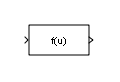 | Fcn | Apply specified expression to input |
 | Function Caller | Call a Simulink function |
 | Initialize Function | Execute subsystem on model initialize event |
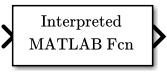 | Interpreted MATLAB Function | (To be removed) Apply MATLAB function or expression to input |
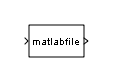 | Level-2 MATLAB S-Function | Usar el bloque Level-2 MATLAB S-Function en el modelo |
 | MATLAB Function | Include MATLAB code in Simulink models |
 | MATLAB System | Include System object in model |
 | Python Code | Integrate native Python code into a Simulink model (Desde R2025a) |
 | Reinitialize Function | Execute subsystem on model or subsystem reinitialize event (Desde R2022a) |
 | Reset Function | Execute subsystem on model reset event |
 | S-Function | Incluir la función S en el modelo |
 | S-Function Builder | Integrar código C o C++ para crear funciones S |
 | Simulink Function | Define a function using Simulink blocks |
 | Terminate Function | Execute subsystem on model terminate event |
Información relacionada
- Call Legacy Lookup Table Functions Using C Function Block
- Modify States of a C Function Block Using Persistent Symbols
- Call C++ Class Methods Using C-Style Wrapper Function from C Function Block
- Call C++ Class Methods Directly from a C Function Block
- Common Uses of the Initialize Function Block
- Working with the Reinitialize Function Block
- Initialize, Reset, and Terminate State of Simulink Block

