Rotation Trajectory
R2026bGenerate trajectory between two orientations
Rotation Trajectory block

To add a block to a model, double-click the canvas and start typing the block name. Then, select the block from the list.
Libraries:
Robotics System Toolbox /
Utilities
Description
The Rotation Trajectory block generates an interpolated trajectory between two rotation matrices. The block outputs the rotation at the times given by the Time input, which can be a scalar or vector.
The trajectory is computed using quaternion spherical linear interpolation (SLERP) and finds the shortest path between points. Select the Use custom time scaling check box to compute using a custom time scaling. The block uses linear time scaling by default.
The initial and final values are held constant outside the time period defined in the Time interval parameter.
Examples
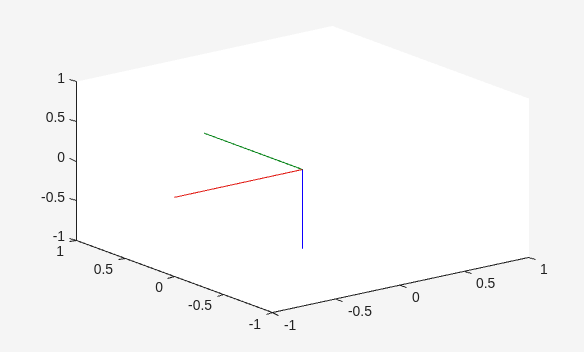
Generate Rotation Trajectory
Generate a trajectory that interpolates between rotations using the Rotation Trajectory block in Simulink®.
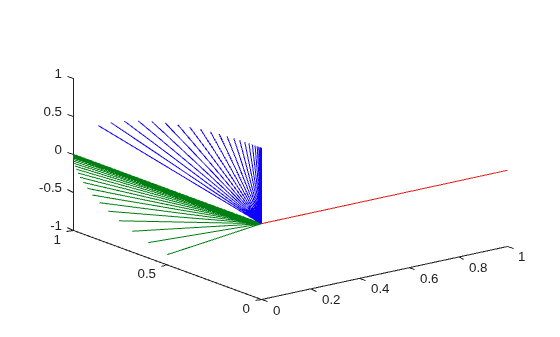
Use Custom Time Scaling for a Rotation Trajectory
Specify custom time-scaling in the Rotation Trajectory block in Simulink to execute an interpolated trajectory.
Ports
Input
Output
Parameters
Programmatic Use: Add Block
To add the block programmatically, use the add_block function with one of these library block paths as the source.
"robotutilslib/Rotation Trajectory"
Example: add_block("robotutilslib/Rotation Trajectory","myModel/myBlock",MakeNameUnique="on")
Tips
For better performance, consider these options:
Minimize the number of waypoint or parameter changes.
Set the Waypoint source parameter to
Internal.Set the Simulate using parameter to
Code generation. For more information, see Interpreted Execution vs. Code Generation (Simulink).
References
[1] Lynch, Kevin M., and Frank C. Park. Modern Robotics: Mechanics, Planning, and Control. Cambridge University Press, 2017.
Extended Capabilities
Version History
Introduced in R2019a

